
Job Descriptions in One Place
Create, approve, and archive job descriptions in a structured format, with a revision history and ready for printing.
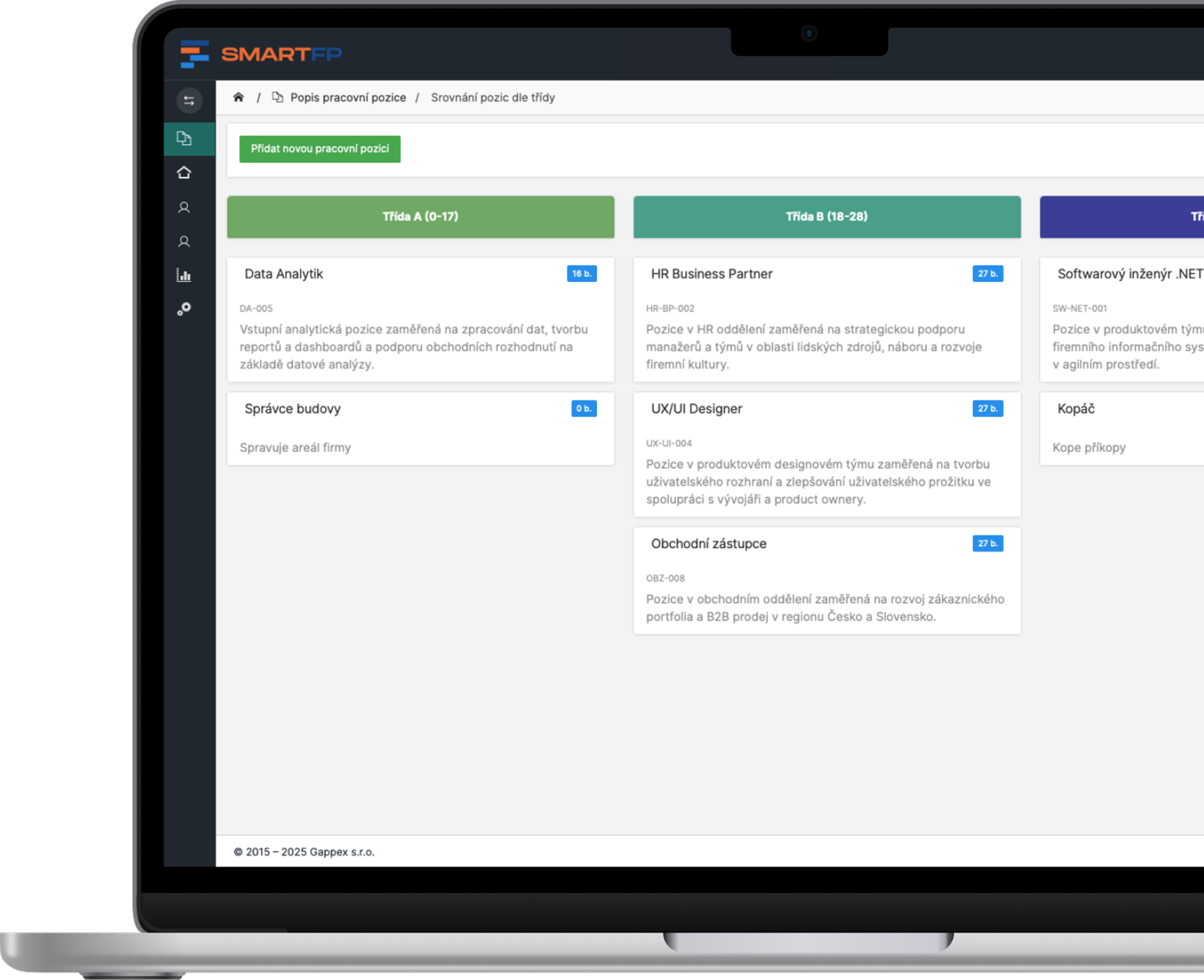
main functions
Everything You Need for Managing Job Descriptions
From creating the job description through HR approval to archiving and printing.
Position Management
Add, edit, and archive job descriptions.
Structured Description
Responsibilities, qualifications, experience, personal qualities, benefits, and terms and conditions.
Dials and Tags
Select requirements from the list or add new ones.
HR Approval
Every new or revised job description must be approved by HR.
Change History and Comments
You know who made what changes and when. Only HR and the author can see the comments.
Full Text and Print
Search by keywords and print a clear report.
Problems vs. Solutions
Recruitment and compensation start with a good job description
A job description outlines what the position entails, what is expected of the employee, and under what conditions. When it’s scattered across various files and emails, no one knows which version is the correct one.
Problems
The descriptions are in the files
Word, email, shared drive. Everyone has a different version.
Everyone writes differently
There is no uniform structure, so the positions cannot be compared.
Changes Without Approval
The description will be revised, and HR will find out about it too late.
History is missing
You don’t know who changed the description, when, or why.
No one can find the descriptions
It is not possible to search by requirements or work schedule.
How SmartFP solves it
A single record
All job descriptions in one place, both active and archived.
Uniform Structure
The same sections for each position; requirements as tags from the list.
HR Approval
HR approves both new and revised descriptions. You can see what has been approved.
Change History
Each edit includes the date, the author, and a description of the change.
Filter and Full-Text Search
Search by name, department, requirements, or keywords.
From Job Descriptions to Transparent Compensation
Job Descriptions can be linked to the Transparent Compensation module. Approved job descriptions then serve as the basis for job classification, pay grades, and pay gap analysis.
Job Description
Classification
Pay Grades
Analysis
Keep Your Job Descriptions Under Control
A single repository, approved versions, and a change history. No files on disk and no versions in email.

How a Job Description Works in Practice
Create a job description
Enter the name, responsibilities, requirements, and conditions. Select tags from the list or add new ones.
You don’t have to start with a blank document.
Have the description approved
HR will review and approve the description. Feedback is addressed in comments that are visible only to HR and the author.
Do you know which descriptions have been approved?
Use and print
Search using full-text search, attach related documents, and print a clear, organized report.
Everything up to date and in one place.
Who for?
Who Is the Job Description in SmartFP For?
HR Department
Create, edit, and approve job descriptions.
Creating and Editing Descriptions
Approval and Comments
change history
Larger companies
Standardize job descriptions across departments.
uniform structure
filter and full-text search
position archive
Employees and Managers
Make sure you understand what each position entails.
Job Description and Requirements
Benefits and Terms and Conditions
Related Documents
Management
Make decisions based on current and approved descriptions.
Overview of Active Positions
Who approved the description, and when?
basis for compensation
Read our case study
See how SmartFP helps companies digitise their daily agenda in practice.

AAA AUTO has accelerated the resolution of IT requirements thanks
When the original ticketing system is no longer sufficient IT requirements were under control. The problem was that the system that…
Learn how to use SmartFP in minutes
You can customise the system to make it easy to use for everyone. Accountants, receptionists and bosses. On the computer and in the mobile app. Just a few details below. We will contact you and suggest a date for a demonstration, free of charge and without obligation.
FAQ
Your most common questions
Looking for answers to your questions or need help with our system? We’ve put together a list of frequently asked questions where you can find useful information and solutions to common problems. If anything is not clear to you? Send us a question.
What is a job description?
Job Description: Job Responsibilities, Requirements, Personal Qualities, Benefits, and Working Conditions.
Who can edit descriptions?
HR creates and edits content. Other users have read-only access.
How does the approval process work?
A new or revised description will be marked as approved by HR. If further edits are made, it must be approved again.
Can I see who edited the description?
Yes. Each change includes a date, a user, and a description of what was changed.
Do we have to write the requirements by hand?
No. You can select qualifications, experience, traits, and benefits as tags from the list or add new ones.
Can I attach documents to a job posting?
Yes. Please attach your company policies, manuals, or training materials to the description.
Can I print the description?
Yes. You can print each item as a clear, graphical report containing all the information.
Can this be linked to transparent compensation?
Yes. Approved job descriptions serve as the basis for job classification and pay grades.