
Verifiable , Paperless Document Verification
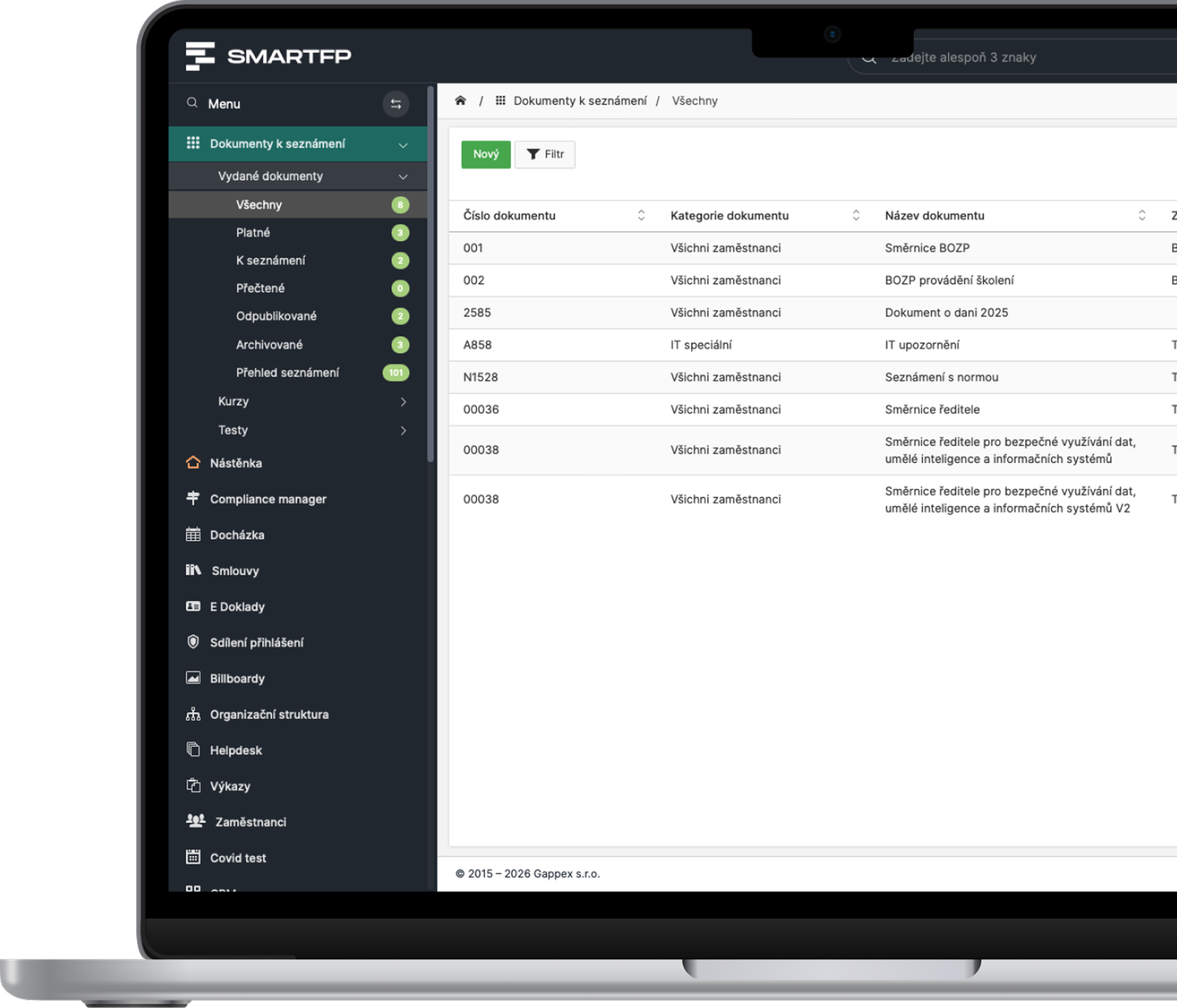
Distribute guidelines, health and safety policies, and regulations to the right people. When an employee opens, reviews, and confirms the document, you can see exactly who has reviewed it.
main functions
Everything You Need to Demonstrate Compliance with the Directives
From document distribution to “I acknowledge” confirmations to a complete overview and history.
Document Categories
Guidelines, policies, and regulations—all clearly organized in one place.
“I Acknowledge” Confirmation
The employee must open the document and read it all the way through to the end.
Overview of Introductions
Who, when, and how the document was verified—all logged.
Targeted Matchmaking
You can assign the document to individuals or entire groups.
Automatic Notifications
Notifications about new documents and reminders about unconfirmed ones.
Validity and Version
Set the validity and importance, and track the change history.
Problems vs. Solutions
A petition doesn’t prove anything to anyone
Policies and guidelines are only effective if employees actually read them—and if you can prove it during inspections and audits.
Problems
Signatures on paper
Documents get lost, and you can’t trace back who signed what.
The list is missing
You don’t know who has actually read the directive.
Outdated Versions
The policy will change, but the employees still have the old one.
Exams are stressful
There is a lack of evidence during an audit or OSH inspection.
Newcomers are being eliminated
A new employee won’t have access to the documents in time.
How SmartFP solves it
Electronic Confirmation
You can click “I acknowledge” only after reviewing the entire document.
Complete records
Who, when, and how it was confirmed—all logged.
Current version
Validity, importance, and change history for each document.
Audit Documentation
You can generate reports with just a few clicks.
Automation for Beginners
Documents are automatically assigned to new employees.
From onboarding to comprehensive employee training
The introduction to documents builds on other SmartFP modules. New employees receive guidelines automatically during onboarding; training and tests are covered by e-learning; and where a signature is required, the process continues with electronic document signing.
Onboarding
E-learning and tests
Electronic signing
Attendance Kiosk
Keep Your Familiarization with the Guidelines Under Control
Distribution, confirmation, and record-keeping all in one place—on your computer, phone, and at the kiosk.

How It Works (3 Steps)
Upload a document
Assign it to a category, and set its priority and importance.
Everything in one place, no shared drives.
Assign Employees
Individuals or entire groups—notifications will be sent automatically.
No one will be let go, not even a new employee.
Check the confirmation
In the overview, you can see who has approved the document, and any unapproved comments will be removed.
You’ll have the evidence you need for inspections and audits right away.
Who for?
Who is the SmartFP document familiarization feature intended for?
HR Department
Send out the guidelines with just a few clicks, and you can be sure they’ve been received.
targeted distribution
Connection to onboarding
Record of Familiarization
Managers and Occupational Safety and Health
An overview of who has reviewed the safety instructions.
real-time confirmation status
automatic reminders
audit documentation
Staff
They can clearly see what they need to read and what they’ve already confirmed.
“For Me” tab
Notifications for New Documents
computer, cell phone, and kiosk
Manufacturing Companies
Employees without a computer will approve documents at the kiosk.
Login with a card
Confirmation directly at the facility
no sheets of paper
Read our case study
See how SmartFP helps companies digitise their daily agenda in practice.

AAA AUTO has accelerated the resolution of IT requirements thanks
When the original ticketing system is no longer sufficient IT requirements were under control. The problem was that the system that…
Learn how to use SmartFP in minutes
You can customise the system to make it easy to use for everyone. Accountants, receptionists and bosses. On the computer and in the mobile app. Just a few details below. We will contact you and suggest a date for a demonstration, free of charge and without obligation.
FAQ
Your most common questions
Looking for answers to your questions or need help with our system? We’ve put together a list of frequently asked questions where you can find useful information and solutions to common problems. If anything is not clear to you? Send us a question.
What is guided document review?
A process through which a company verifiably informs employees of internal guidelines, policies, or regulations. In SmartFP, you assign the document to specific individuals, who review and confirm it, and everything is logged.
How does an employee verify the document?
The document will open, and the user must scroll all the way to the end—only then will the “I Acknowledge” button appear. The confirmation is saved along with the date and time. Where a signature is required, the Electronic Document Signing module takes over.
Can the module be integrated with training sessions and tests?
Yes. Where confirmation is sufficient, you’ll use document review. Where training or knowledge verification is required, the E-learning module provides courses and tests.
How do employees get to know each other without a computer?
Through the kiosk right at the service counter. The employee logs in with their card, opens the document, and confirms it.
What if a new employee joins the company?
Documents are automatically assigned to him as part of the onboarding process, so he’ll be familiar with everything he needs right from the start.
How can I tell who hasn’t met anyone yet?
In the orientation overview, you can see the status for each employee. You can send a reminder to those who haven’t confirmed.