
Hours Worked Under Control
Track hours worked, assign them to projects and tickets, and maintain records for time tracking, invoicing, and management.
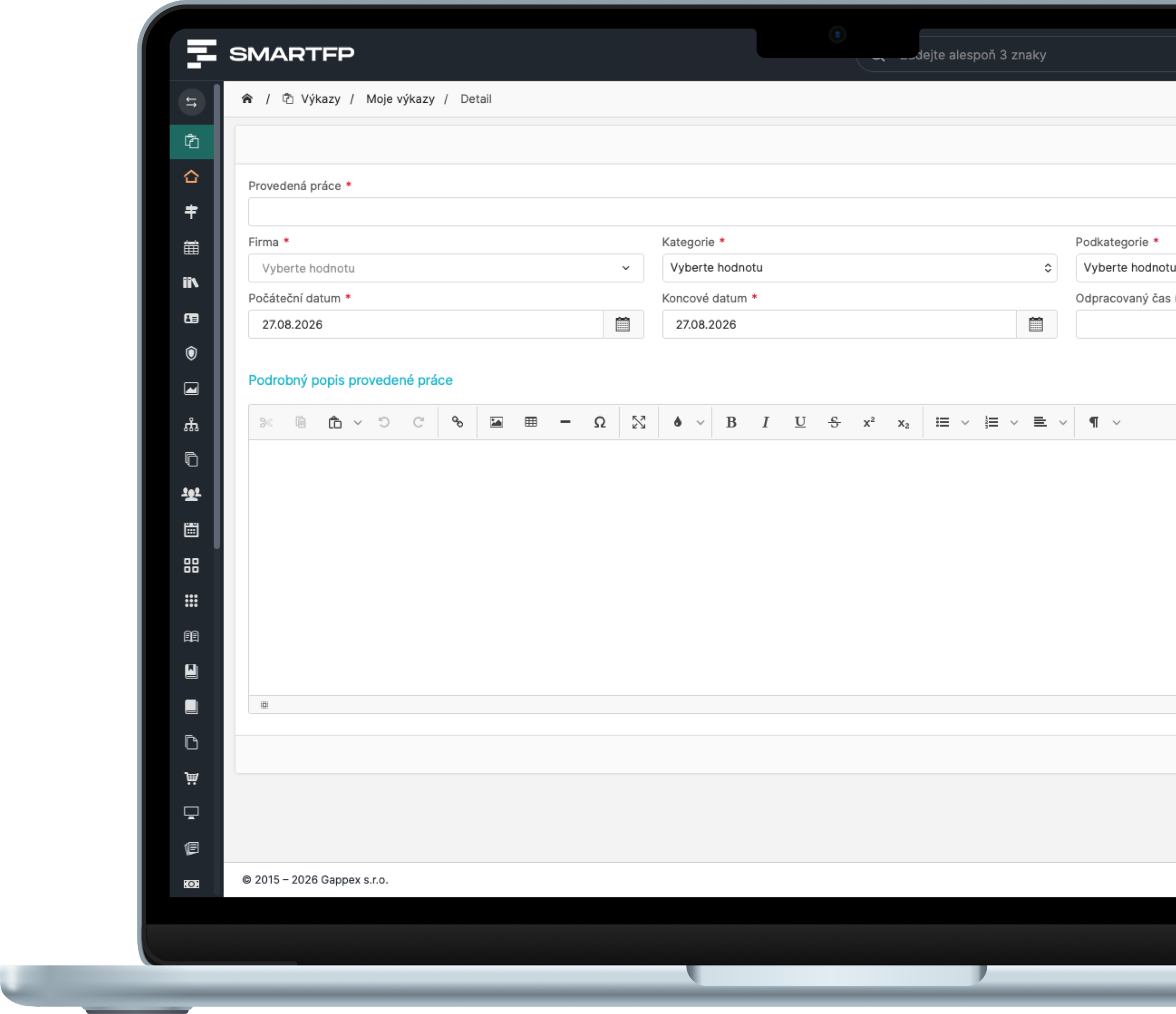
main functions
Everything You Need for Tracking Work Hours
From daily time tracking to linking to projects and tickets, all the way to attendance records and reports for billing.
Daily Reports
Record the hours you worked each day.
Project Work
Break down your working hours by job and project.
Time on the tickets
Track your work directly in the help desk tickets.
Attendance Records
You can generate employee attendance reports from the work records.
Recurring Tasks
Enter recurring tasks and check to see if they have been completed.
Notes and Activities
Please provide details about what was done specifically.
Outputs and Reports
Reports for billing, payroll, and business management.
Problems vs. Solutions
The work summary begins with the recorded hours
Without time tracking, it’s hard to determine how much a project cost, whether tasks were completed, and what should be recorded in the time sheets. Timesheets keep all this information in one place.
Problems
You don’t know where the time went
Hours worked are not systematically recorded anywhere.
Documents and Tables
Reports are created in Excel, via email, or on paper.
Attendance is one thing; work is another
The data don’t match and must be manually rewritten.
Tickets and Projects Without a Due Date
The requests and orders are missing information about the hours worked.
No one keeps track of recurring tasks
Recovering records of routine activities is difficult or impossible.
How SmartFP solves it
Quick Class Entry
An employee can log their hours worked in just a moment.
Link to Projects and Tickets
Each class has its own assignment, task, or requirement.
Attendance Records from the Labor Records
You can generate attendance records from the reports.
Monitoring of Routine Activities
You can see whether the recurring task was actually completed.
Prepared Outputs
You can use the data for invoicing, payroll, and business management.
From a recorded class to an invoice template
Time reports can be linked to the Helpdesk and Project Management modules. Time is then tracked directly against a specific ticket or project task.
Tickets
Projects
Report
Attendance
Keep Track of Your Work Hours
Track your work, attendance, and time spent on projects and tickets all in one place.

How Work Reports Work in Practice
Record your hours worked
Daily, by project, or directly on the ticket, including a note.
You don’t have to look anything up retroactively.
Break down the work into tasks
You can assign hours to projects, tickets, and recurring tasks.
Do you know how much time was spent on each job?
Get the results
Attendance, time sheets, and billing documents.
Your data is ready without any rewriting.
Who for?
Who are the work reports in SmartFP intended for?
HR and Payroll
Keep your attendance and payroll records all in one place.
Attendance from reports
Overview of Hours Worked
payroll records
Service and Project Teams
Track time on projects as well as for specific tasks.
time on the tickets
project costs
invoicing documents
Staff
Submit your work quickly and without unnecessary paperwork.
Quick Class Entry
Notes on Activities
Overview of My Work
Management
Base your decisions on actual figures regarding hours worked.
Overview of Utilization
task review
reports and outputs
Read our case study
See how SmartFP helps companies digitise their daily agenda in practice.

AAA AUTO has accelerated the resolution of IT requirements thanks
When the original ticketing system is no longer sufficient IT requirements were under control. The problem was that the system that…
Learn how to use SmartFP in minutes
You can customize the system so that it works well for everyone—accountants, technicians, and managers alike—whether on a computer or in the mobile app. Just fill out the form below. We’ll get in touch to schedule a demo—free of charge and with no obligation.
FAQ
Your most common questions
Looking for answers to your questions or need help with our system? We’ve put together a list of frequently asked questions where you can find useful information and solutions to common problems. If anything is not clear to you? Send us a question.
What are timesheets?
Records of hours worked by day, project, and activity.
Can attendance records be generated from the reports?
Yes, attendance records are generated from the work records.
Can you track time on tickets?
Yes, when integrated with the Helpdesk module, the time is recorded directly on the ticket.
Can recurring tasks be monitored?
Yes, you can set up recurring tasks and check whether they have been completed.
How does an employee enter their time?
Enter the hours for a specific date, project, or ticket, and add a note.
What is the purpose of the notes to the financial statements?
He will explain exactly what was done and what was being worked on.
Can the data be used for billing?
Yes, the reports serve as the basis for billing the job.
Can I fill out the reports on my cell phone?
Yes, SmartFP is available on both computers and in the mobile app.