
SmartFP travel order functionalities
The SmartFP Travel Orders module covers the entire business travel process, from application and approval to billing and accounting output. It’s not just an electronic form, but a full-fledged system that takes into account real business operations, recurring travel, cost control and legislative requirements.

benefits
Extra features compared to a normal “cession”
SmartFP assumes that business trips are not an exceptional event, but a normal part of operations. That’s why the module offers features that ordinary travel orders often don’t cover:
Summary travel statements – multiple overnight trips can be accounted for in one statement (ideal for frequent business trips)
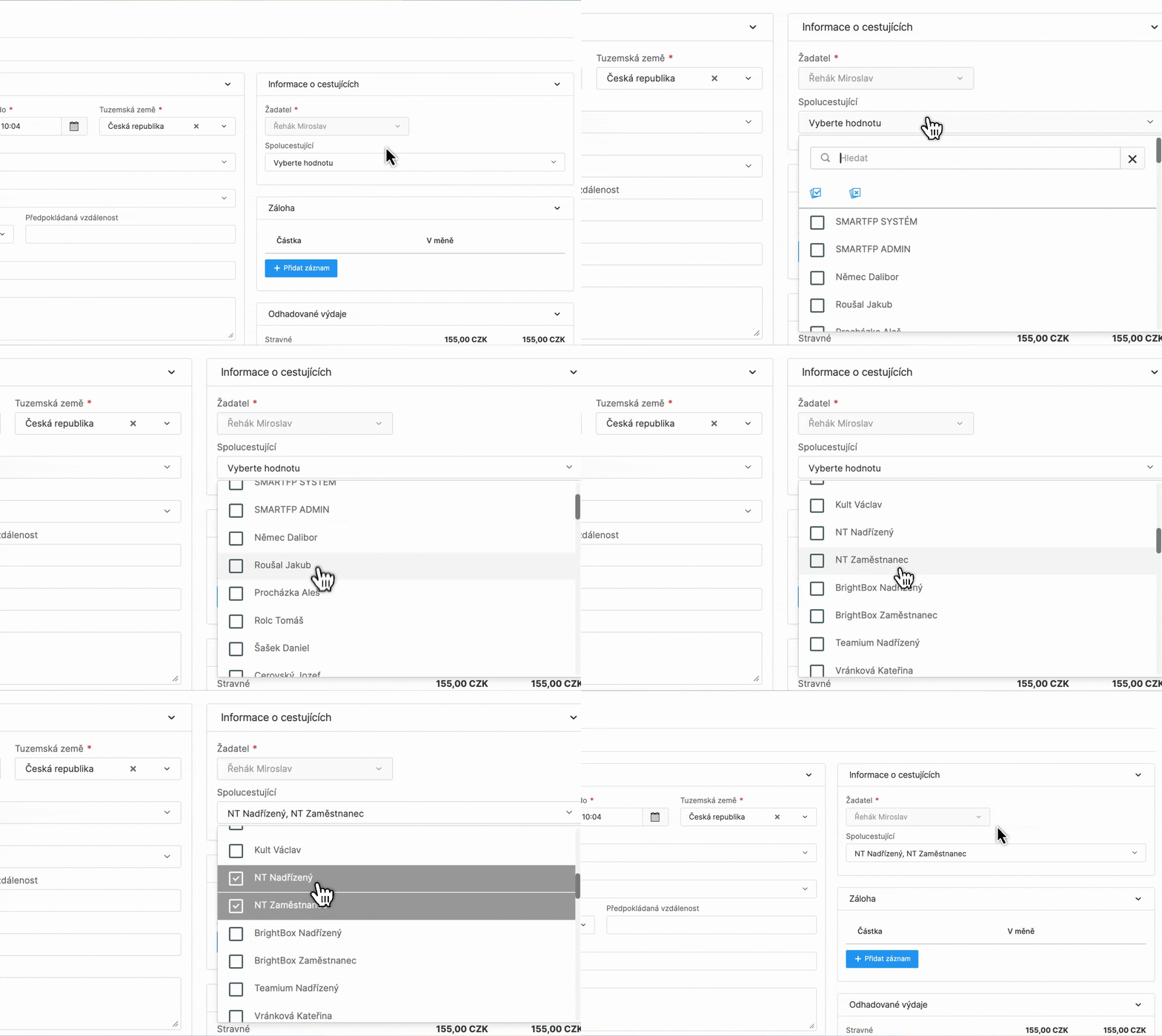
Bulk Travel Orders – the ability to set up one trip for multiple passengers at once
Carpooling – correct cost sharing between travel participants
Archive
Trip archive and full traceability
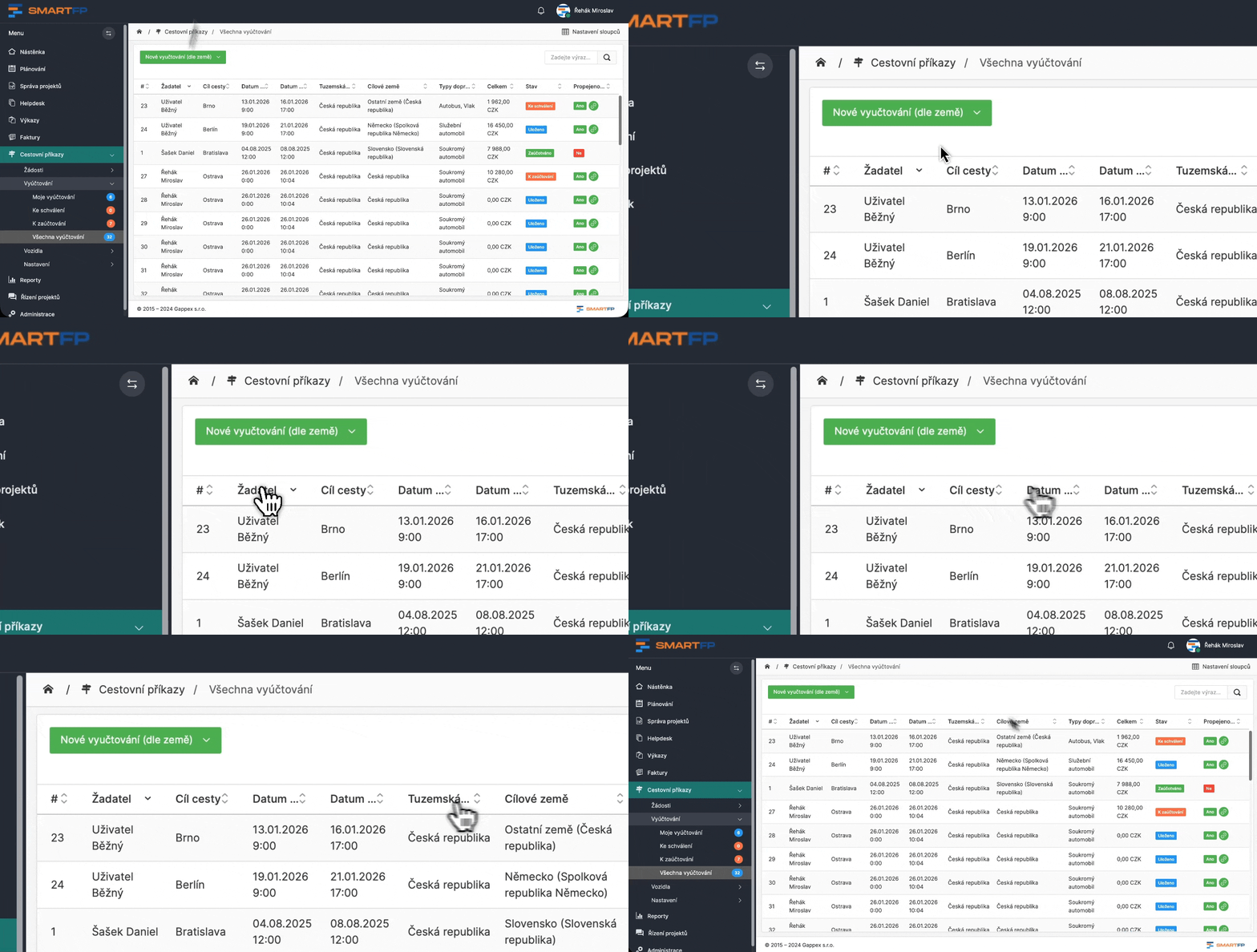
All records, Applications and Billing, are stored in a clear archive. The archive allows filtering by, for example:
- travel destinations
- of the applicant
- status, types of transport
- dates of travel or period
audit
Audit trail (timeline)
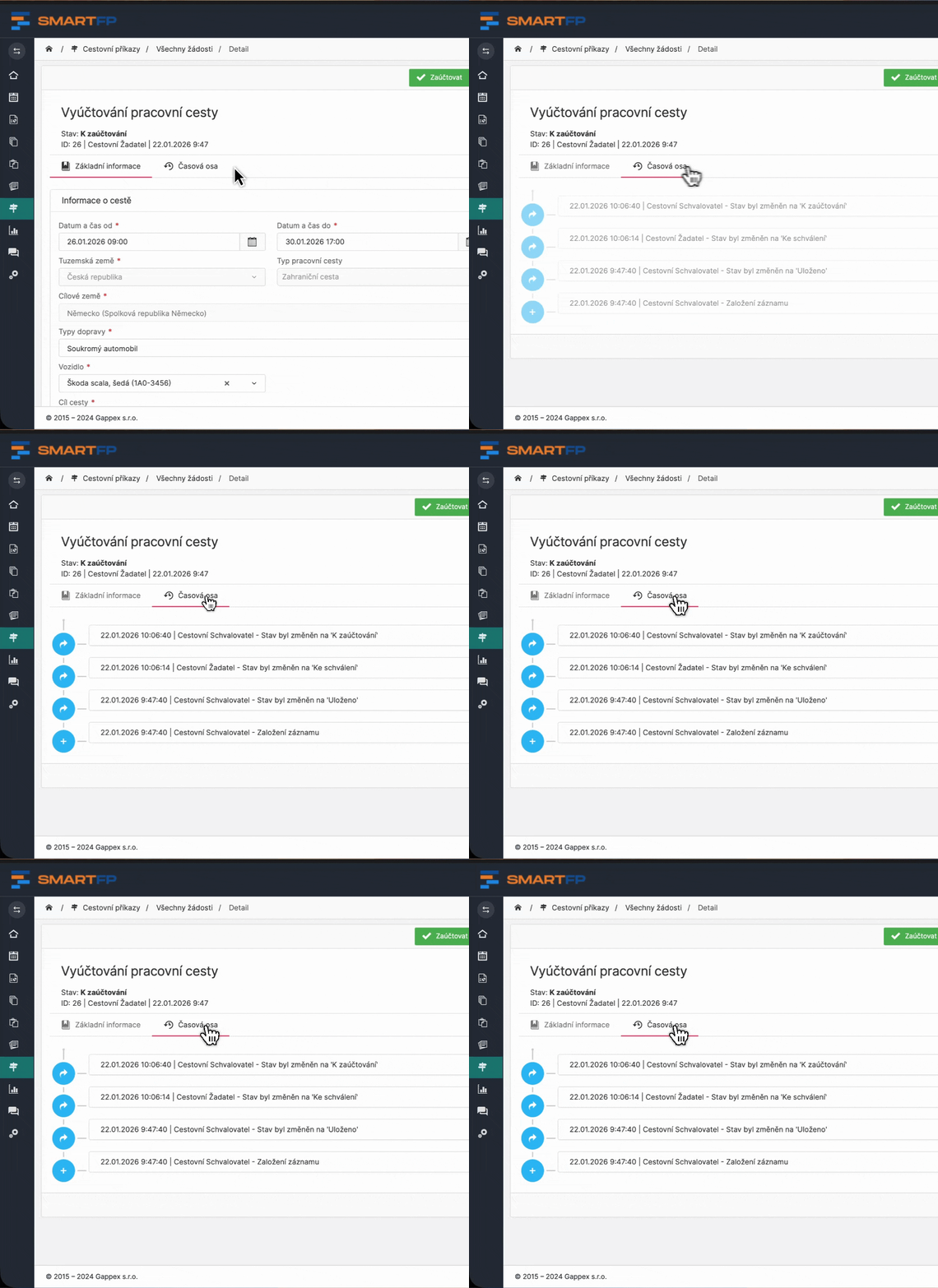
Each record contains a timeline (audit trail) from which it is immediately apparent:
- who asked
- who approved
- when each step occurred
The archive is ready for internal control and audit.
Automation
Faster work thanks to automation
Travel orders are one of the recurring agendas. SmartFP therefore significantly reduces the administrative burden through automation.
The system allows:
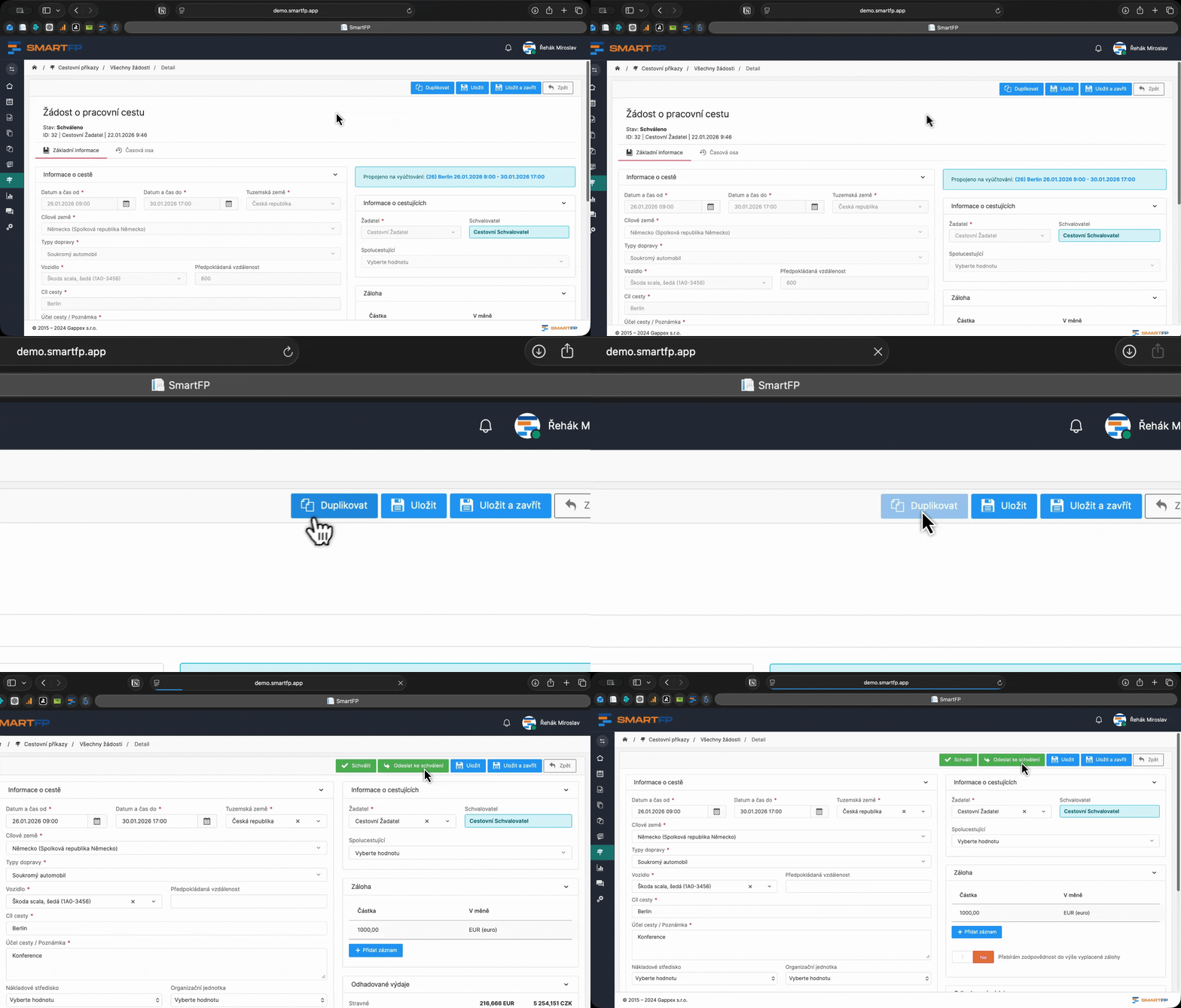
create requests and billing for another person (e.g. assistant, administrator, accountant) – according to the rights and roles settings
duplicate applications and billing – repeat trips are a matter of moments
Current
Always up-to-date calculations and legislative certainty
The accounting of business travel is an area where it is necessary to comply with current legislative rules. SmartFP takes over this responsibility for the user.
System:
- synchronizes currency exchange rates from the CNB on a daily basis
- maintains the travel allowance code in accordance with the current Decree
- ensuring that the accounts comply with the applicable rules and internal controls
application and billing
Applying for and settling a business trip in one process
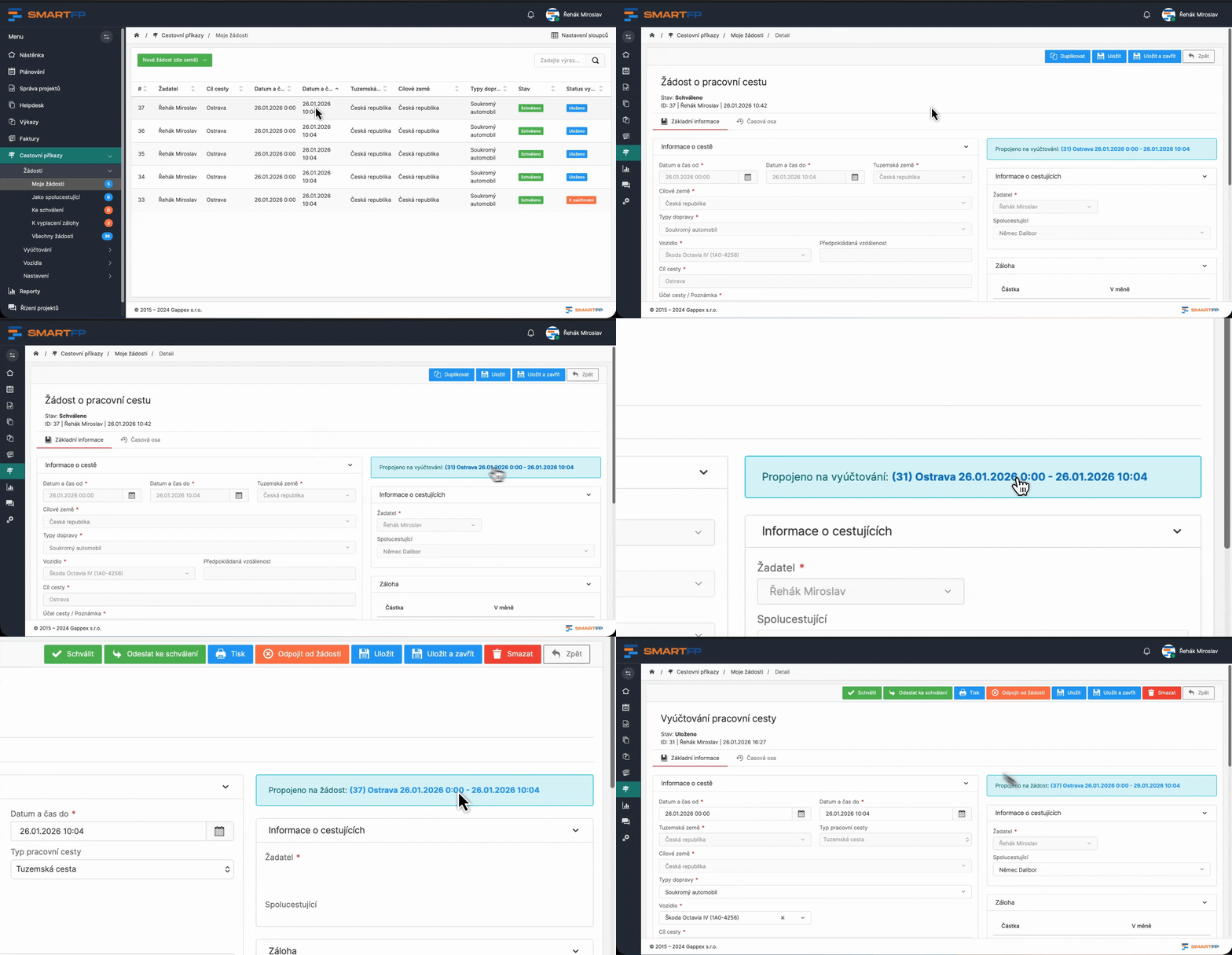
SmartFP travel orders link the travel request and the travel settlement into one continuous process (the request can be mandatory or can be switched off).
Application for a working trip (before the trip)
- checkpoint before the trip
- upfront costs already at the time of award (both the applicant and the approver can see)
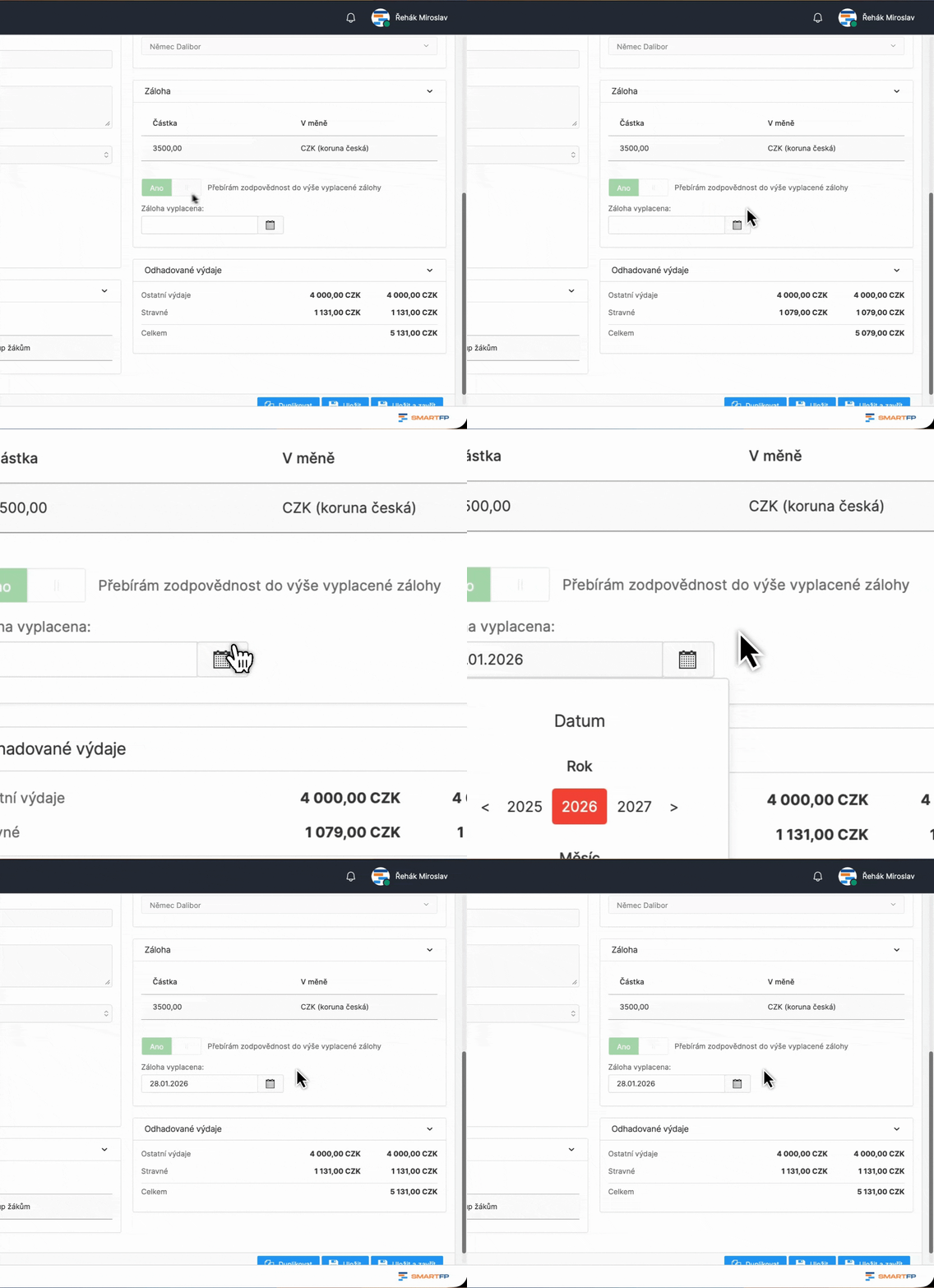
- possibility to request a deposit
- approval via supervisor / according to organisational structure
- automatic transfer of data to the billing (no double filling)
Business trip settlement (en route)
- output ready for accounting
- detailed itinerary + analysis of all costs
- calculations according to the rules: meals, travel allowances
- entering costs including attachments (receipts, documents)
checkout
Recording of advances (cash register)
Part of the solution is a record of backups. In the system you can set the role of the cashier who records:
- the issue of an advance on a specific date
- currency conversions according to settings and current exchange rates
This ensures an overview of the advances made and their subsequent settlement.
way
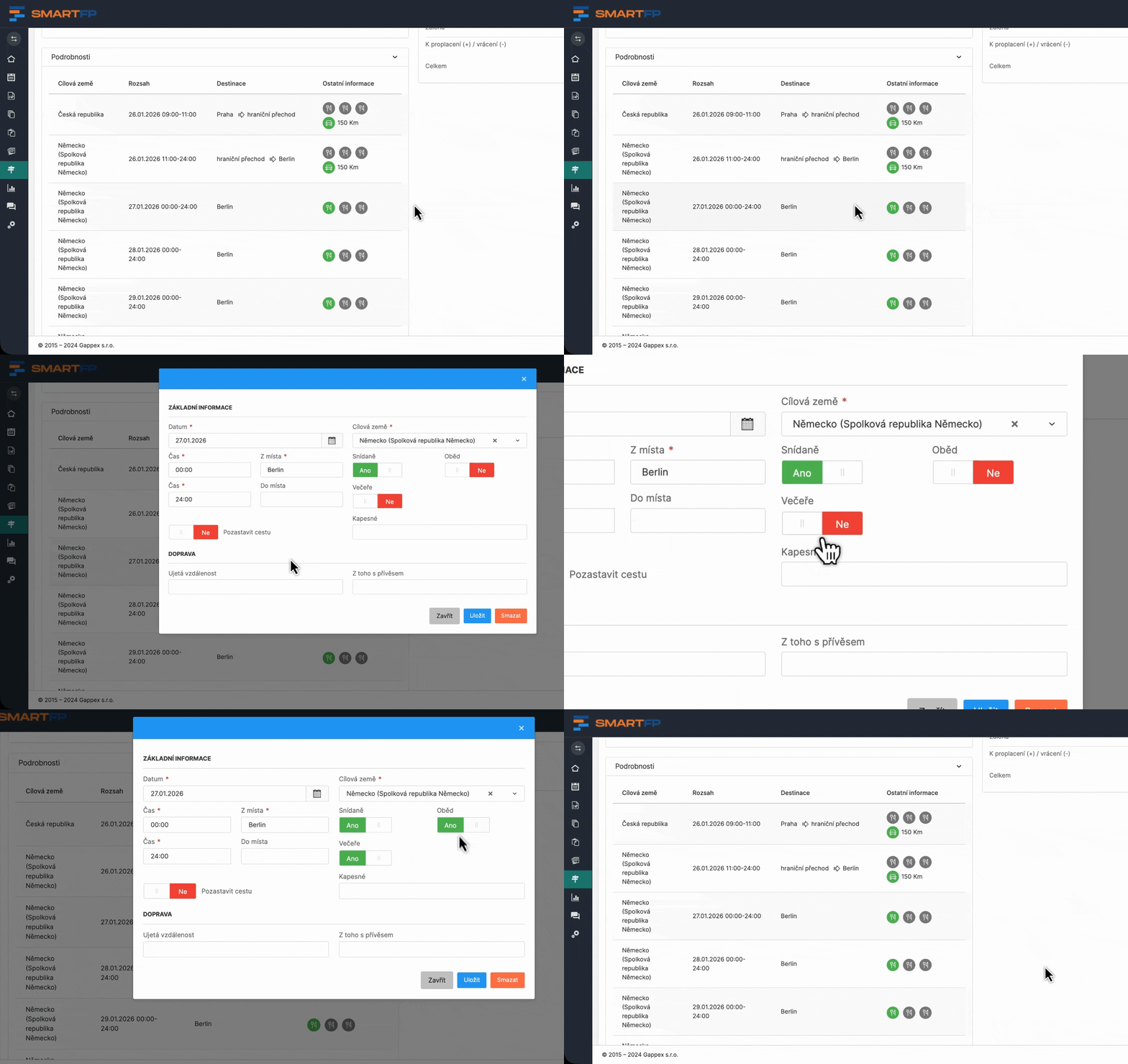
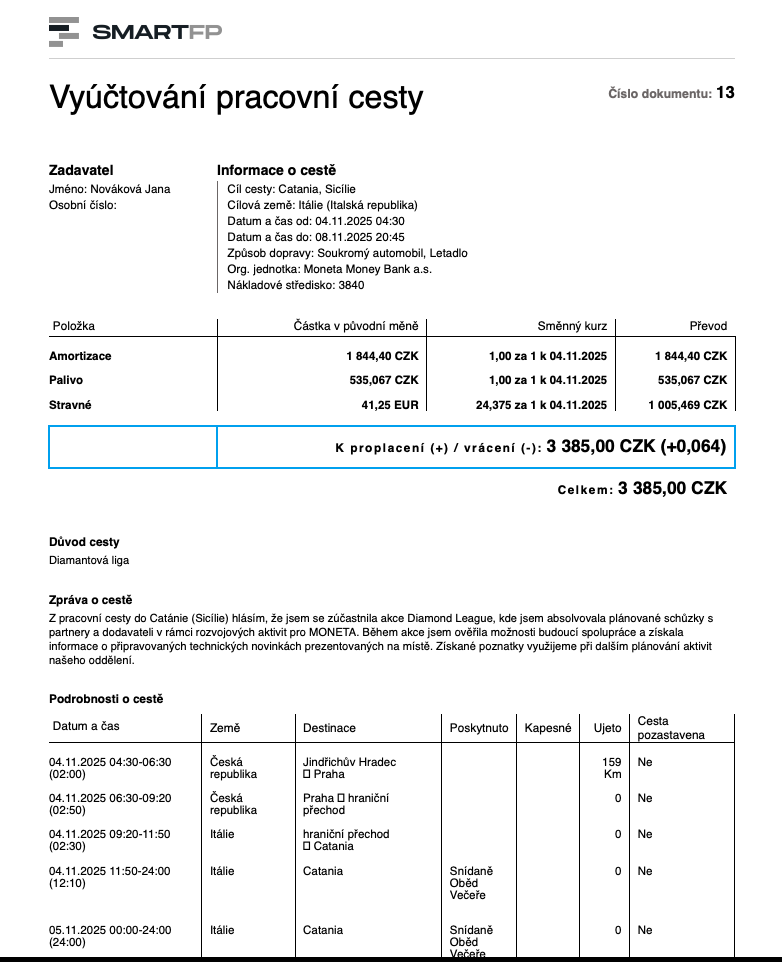
Travel itinerary (transport, meals, interruptions)
SmartFP supports real work travel scenarios:
- choice of different means of transport
- work with route lengths for accurate compensation calculations (fuel, depreciation)
- the option to specify which meals have been provided (e.g. hotel with breakfast)
- the possibility to interrupt a trip (e.g. inserting a holiday day during a business trip)
billing
Outputs from the billing
The billing may result in:
- data phrase for easy transfer to the accounting system
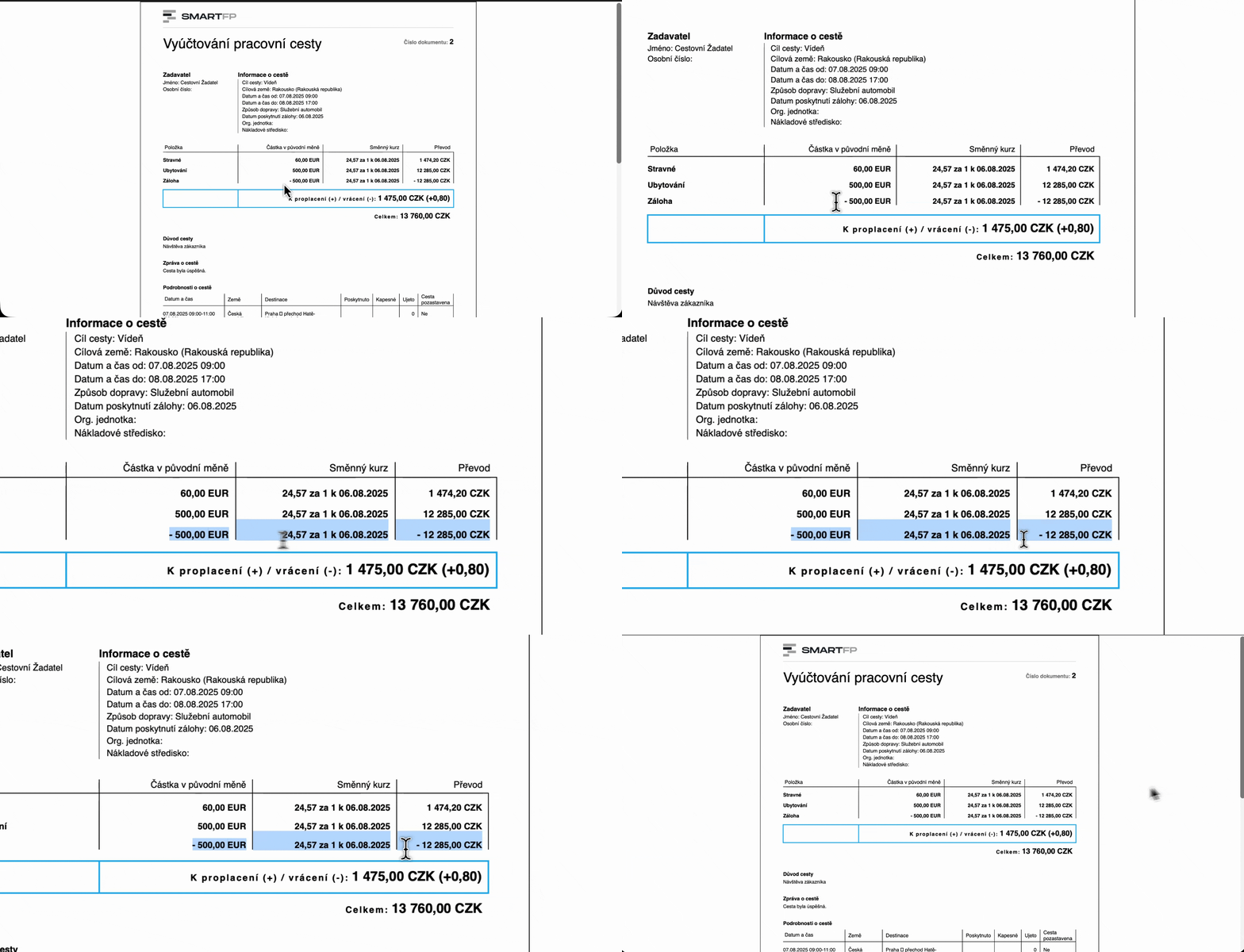
- PDF overview of the trip including calculation of allowances (meals, travel allowances, etc.)
vehicles
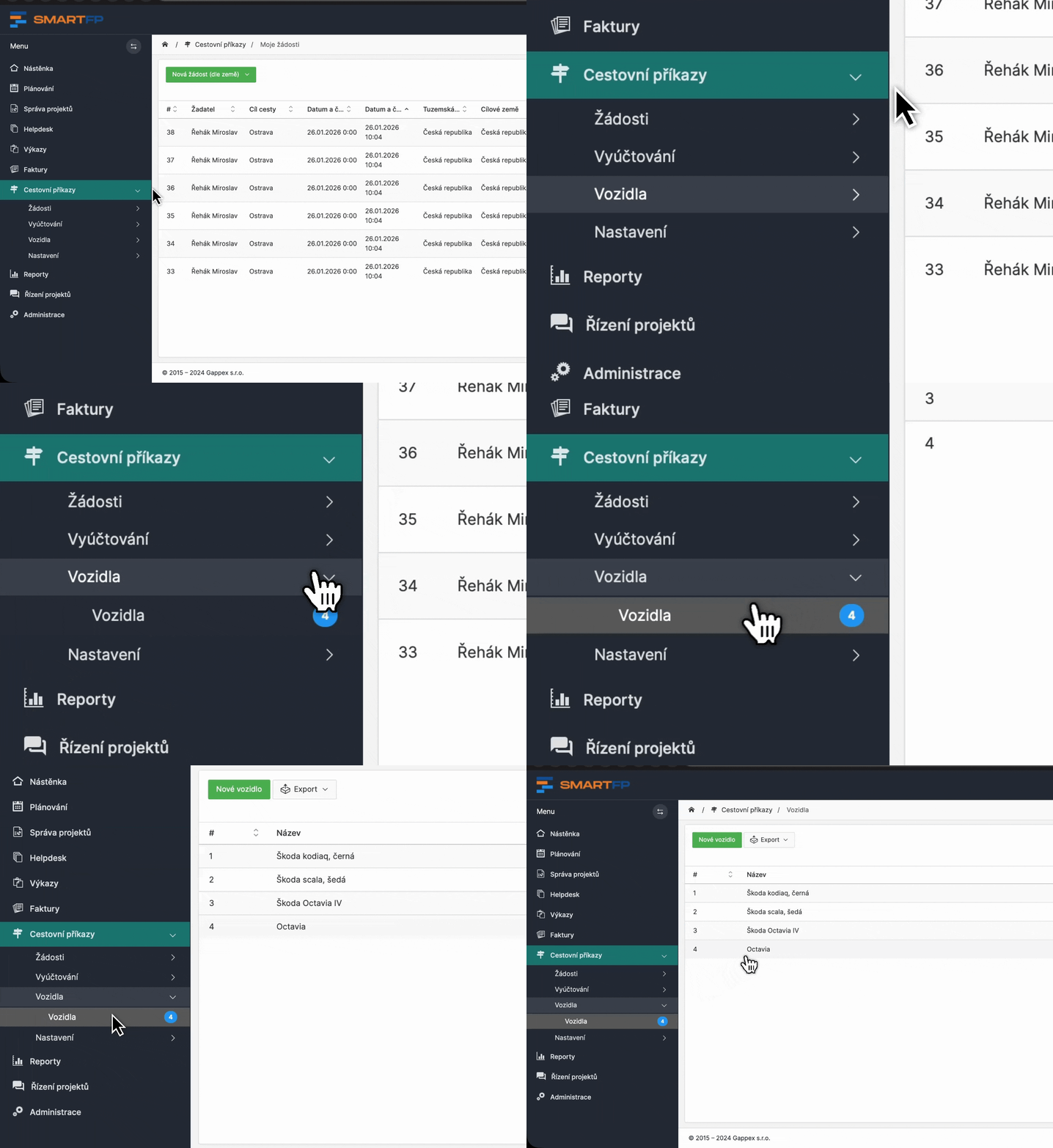
Vehicle records
Vehicles are registered with all the data necessary for the correct calculation of compensation, for example:
- fuel type
- Consumption
- other technical parameters
Approval of vehicles
The register can be extended by:
approval of the assignment of a vehicle for a specific journey
approval of a newly established vehicle
Learn how to use SmartFP in minutes
You can customise the system to make it easy to use for everyone. Accountants, receptionists and bosses. On the computer and in the mobile app. Just a few details below. We will contact you and suggest a date for a demonstration, free of charge and without obligation.

FAQ
Your most common questions
Looking for answers to your questions or need help with our system? We’ve put together a list of frequently asked questions where you can find useful information and solutions to common problems. If anything is not clear to you? Send us a question.
Is it possible to run SmartFP as SaaS and on-premise?
Yes. We are flexible in the location of our solutions, supporting SaaS and on-premise. For some customers, on-premise makes sense because of the integration to internal systems that are not available externally.
How do you deal with travel allowances and compliance with the law?
SmartFP has a travel reimbursement codebook that we synchronize according to the current decree, so you can be sure that the calculations correspond to the legislation and there is no need to manually monitor rate changes.
Is it possible to set up a travel order for someone else?
Yes. Depending on the permission settings, you can create Requests and Billing for another person, typically an assistant, supervisor, or even a traveling companion.
How does vehicle registration work?
Vehicles can be registered in the system with all the data needed for calculating travel allowances (e.g. fuel type, consumption). The registration can also be extended to include approval, for example when a new vehicle is created or assigned to a trip.
Is the Request mandatory or can we turn it off?
The request is not mandatory, we can turn it off. However, it is used in most organizations because it brings control over travel: approval, the possibility to request an advance and, most importantly, a preliminary overview of the costs before the trip.
Do you know how to do bulk travel orders and summary billing?
Yes. SmartFP supports:
- bulk travel orders,
- carpooling,
- as well as summary travel reports, where multiple overnight trips can be settled in one billing.
How does travel approval work?
The approval process is normally set up so that the trip is approved by the supervisor, but we can adapt the process, for example, according to the organisational structure, centres or other internal rules.
Is SmartFP also available on mobile?
Yes. It’s all in one place in the system, and it’s accessible from a mobile phone, so the passenger can add loads and attachments continuously, not just “when they get back to the computer”.