How Auto Jarov Eliminated Manual Data Entry and Saved the Payroll Department Three Days of Work Each Month
Attendance and leave
~600 employees
Connection to Helios
What Has Changed
BEFORE
Before
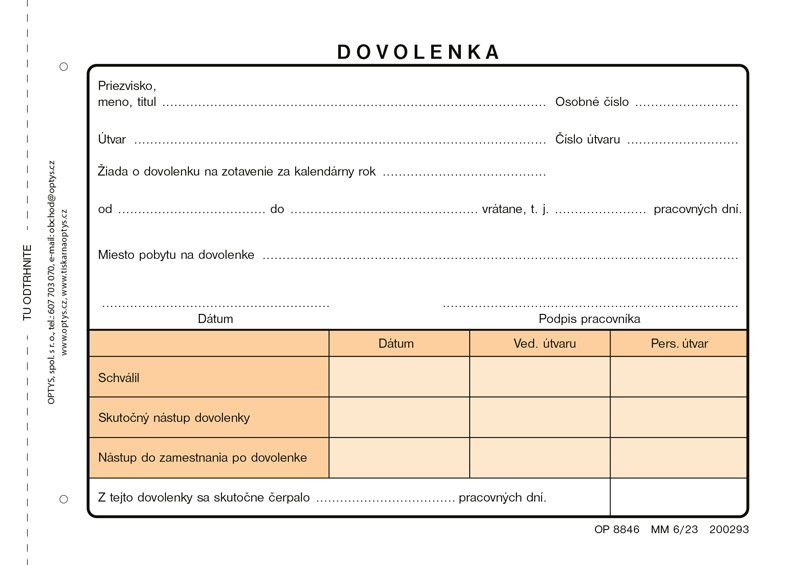
A paper request form for each vacation
The manager manually enters the data into the system
The slip is sent to the payroll department
The accounting department re-enters everything into Helios
Missing Tickets and Typos
Remaining Vacation Days Based Only on the Pay Stub
Mon
Today
Apply from your phone with just a few clicks
The manager will approve it over the phone
No pieces of paper—nothing gets lost
The data will be transferred to Helios automatically
The accounting department only reviews exceptions
Everyone can see their remaining vacation days right away
3 days → 1 hour
Monthly Accounting Schedule
1 000+
paperless requests per month
~276 hours
annual savings
Where did Auto Jarov start?
The company did have a time-tracking system, but it was used almost exclusively to track arrivals and departures related to work on projects. Vacation time and absences were handled entirely outside of it, on paper.
An employee filled out a request form, the supervisor signed it and entered it into the system by hand. The form was then physically sent to the payroll department, where it had to be checked again and entered into Helios once more. With 600 employees and a thousand requests a month , there were plenty of opportunities for error.
Step-by-Step Guide
1
Phase 1
Analysis and a Clear Vision
Auto Jarov didn’t have a fully-fledged system, but it had a clear vision of how the end result should work. Together, we mapped out what to implement: digital requests, approvals, and, most importantly, automatic data transfer to Helios.
2
Phase 2
Implementation of the Attendance and Leave Module
Employees submit their requests via the intranet or their cell phones by clicking on a large “Vacation Request” tile, filling in the start and end dates, and submitting it for approval. Managers approve requests from their phones; absences that are simply reported (e.g., due to a doctor’s note) are recorded without approval.
3
Phase 3
Automatic Transfer to Helios
At the end of the month, the supervisor closes the attendance records, and the data is automatically transferred to Helios. The payroll department simply checks for exceptions; it doesn’t have to re-enter the data line by line.
4
Phase 4
Addition of an Electronic Document Guide and e-Signature
In addition to attendance records, the system now includes informational documents and electronic tax guides (Guide to the Taxpayer’s Declaration and Guide to the Annual Tax Return). The employee goes through each step; the system pre-fills their personal information, and after HR approval, a PDF is generated for electronic signature. Everything is done electronically, even from a cell phone— HR no longer has to go around asking people for documents.
5
Phase 5
Analysis and a Clear Vision
The solution works across the entire company, from offices to security to housekeeping. Even older employees now request time off via their phones.
More Than Just Attendance—Integrated HR Functions
Auto Jarov currently uses SmartFP for more than just attendance tracking. It also has its Employee Records, Orientation Documents, and Electronic Document Guide (taxes) up and running. Both the orientation documents and the document guide are also linked to the eSigno electronic signature system; employees can read a document and sign it immediately right on their cell phones, without having to print it out or physically pass it around. HR has everything stored and searchable in one place.
“The savings are really significant—let’s say we saved three days’ worth of work for the payroll department.”It’ll take about a minute today because the system plays it automatically. The system “It works reliably and quickly—that’s what matters most.”
Václav Rešetar
IT Manager, Auto Jarov
Do you have a similar agenda on paper?
During this half-hour call, we’ll go over how you currently handle attendance, vacation time, and payroll documentation. We’ll show you where there’s the most room for improvement and provide 2–3 specific suggestions you can put into practice right away.