Starting a new employee (Onboarding)
Onboarding a new employee is a whole process from the first questionnaire to the finished documents and training. SmartFP combines this into one clear workflow.

Who for?
For HR, management and finance, everyone has an overview
HR
less manual work, data is collected once, documents are kept automatically
Director
sees the status of onboarding, who is done and where the process is stuck
Accountant
order in documentation and process control, easy traceability
What is Onboarding?
The onboarding of an employee consists of data, documents, familiarization with the guidelines and training. When this runs through emails, spreadsheets and papers, mistakes are made and time is lost. SmartFP makes it one clear process.
Onboarding = data + documents + training + signatures (in one process)
3 phases of employee onboarding in SmartFP
Phase 1
Before the onset
Pre-entry questionnaire
HR sets up the candidate in the system, fills in the basic data and sends them a personal questionnaire.
HR sends a personal questionnaire
The candidate will be emailed a link, complete the questionnaire and return it.
HR check and confirmation
HR receives the notification, checks the data and confirms the questionnaire or returns it for completion.
Phase 2
Documents and evidence
Employee records
From the approved questionnaire, HR can create a user account for the employee with one click.
Automatic documents
The system automatically prepares documents according to the set conditions (e.g. position or type of job).
PDF documents to sign
HR sends documents for electronic signature with a few clicks.
Phase 3
Familiarisation and training
Directive/BOZP: confirmation/signature
After the first login, the employee goes through a familiarisation session with the guidelines/BOZP or e-learning and HR has an overview of the tasks completed.
REST API
Thanks to the REST API, data from SmartFP can flow seamlessly to other company systems.
why SmartFP
What onboarding in SmartFP can do
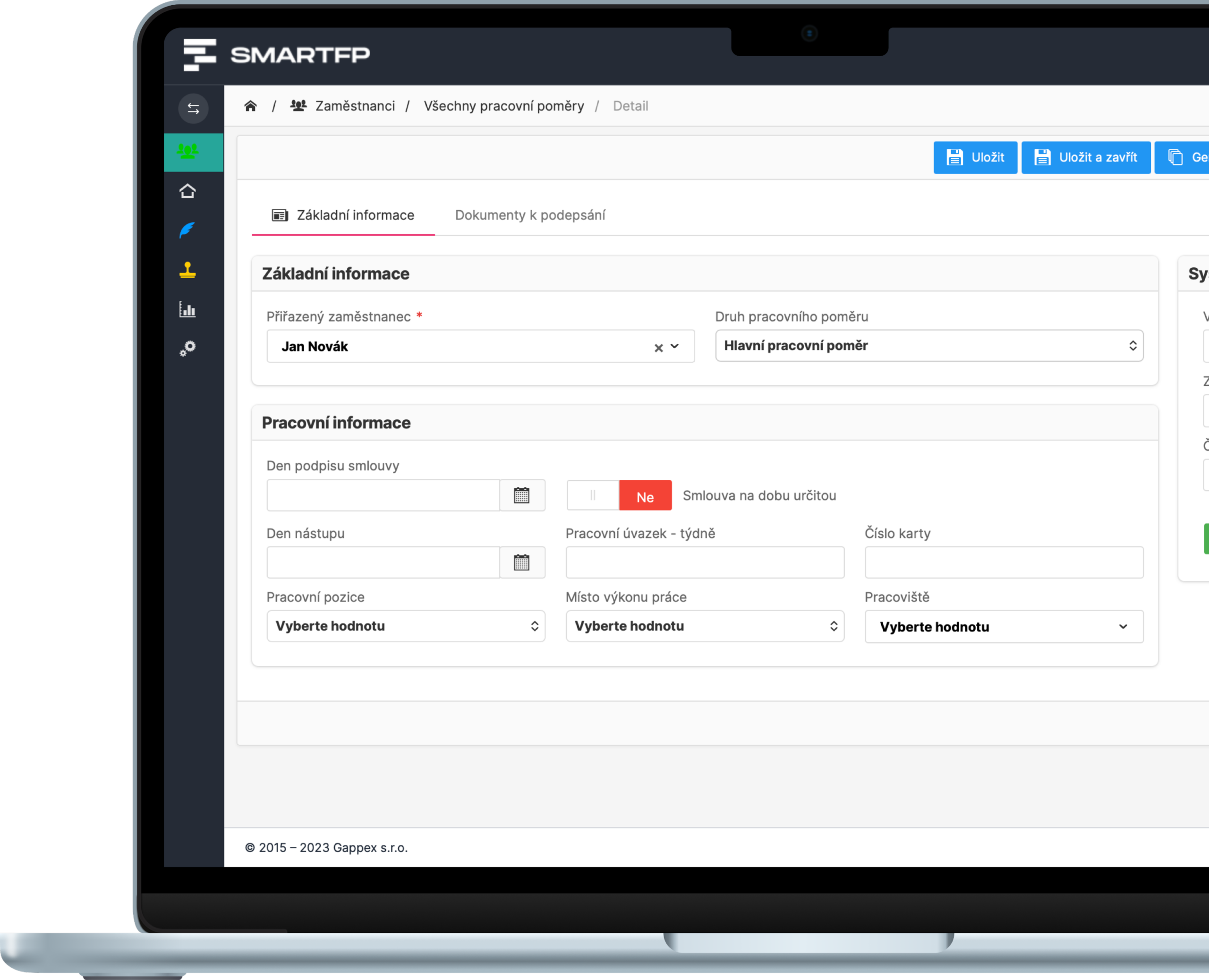
Employee fills in the data before starting (HR only checks)
HR sets up the candidate in the system and sends them a personal questionnaire. After completion, HR receives a notification, checks and confirms the data. The system then automatically overwrites the data into a new employee card when the button is clicked.
The result: no more manual transcription, fewer errors and faster progress…
- the employee fills in the data himself (before starting)
- HR receives an alert, checks and confirms
- fewer errors, less overwriting, faster start
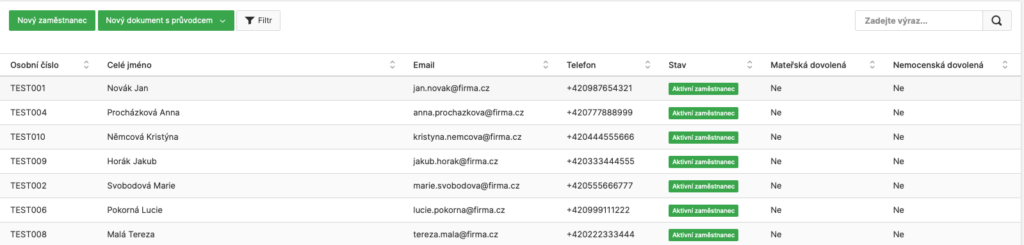
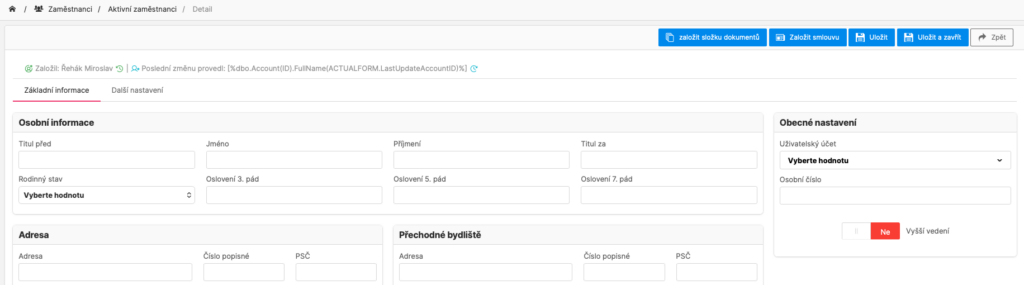
Employee card with everything in one place (including change history)
In SmartFP, you keep your employees organized – data, attachments, tours, benefits and important events. Everything is traceable and linked to documents and training.
- employee card + attachments and files
- benefits, medical examinations, parental/maternity
- change history and timeline throughout the system
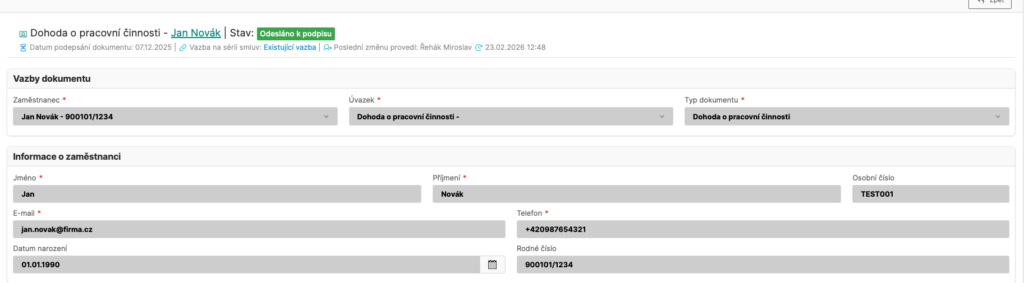
Document templates and automatic PDF generation (no manual transcription)
You prepare templates and SmartFP automatically creates PDF documents from them for a specific employee. The result is consistent documentation and fewer errors.
- document templates (contracts, addenda, handover documents…)
- automatic generation of PDF from recorded data
- everything stored with the employee, easily traceable
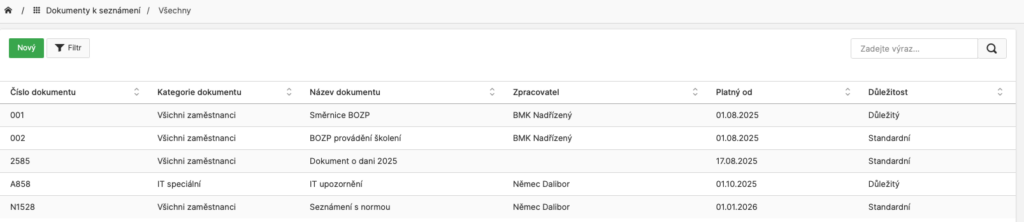
Demonstrable familiarity with the guidelines (read/confirmed/signed)
HR uploads a document (e.g. a directive or OHS), determines who they pay and SmartFP keeps track of who has read it. An overview of compliance is always at hand, including reminders.
- demonstrable reading and acknowledgement (including “I acknowledge”)
- signature or checkbox depending on document type
- summary of completion + reminders for those not ready
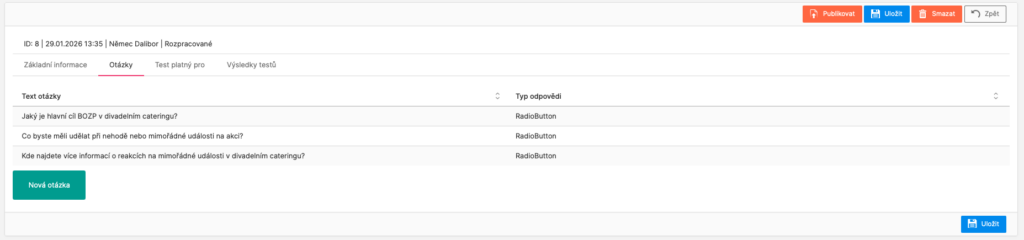
Onboarding training made easy (chapters, content, tests)
Make the onboarding training a clear process – chapters, content, or tests. HR sees compliance and can push employees to completion quickly.
- chapters, content and tests (as needed)
- HR sees training completion and status
- Ideal for repeated entries and standardisation
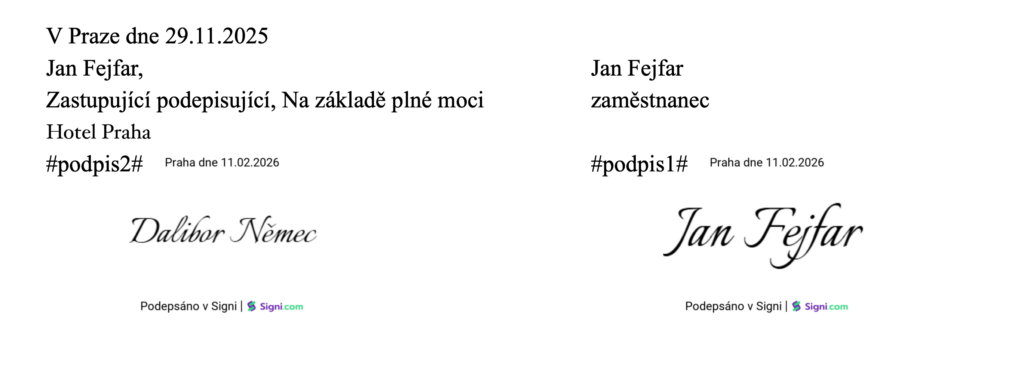
Signatures as part of the process (the document is returned directly to the register)
You send the documents for signature and SmartFP automatically saves them to the specific employee when completed. Signatures are thus part of onboarding, not a separate “file outside”.
- signature linked to a specific document and employee
- result = signed PDF directly in the registry
- supported signature services according to your preferences (connection)
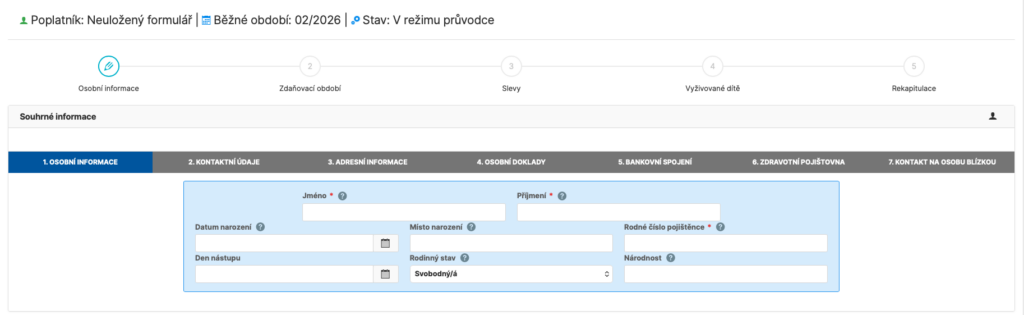
Signatures as part of the process (the document is returned directly to the register)
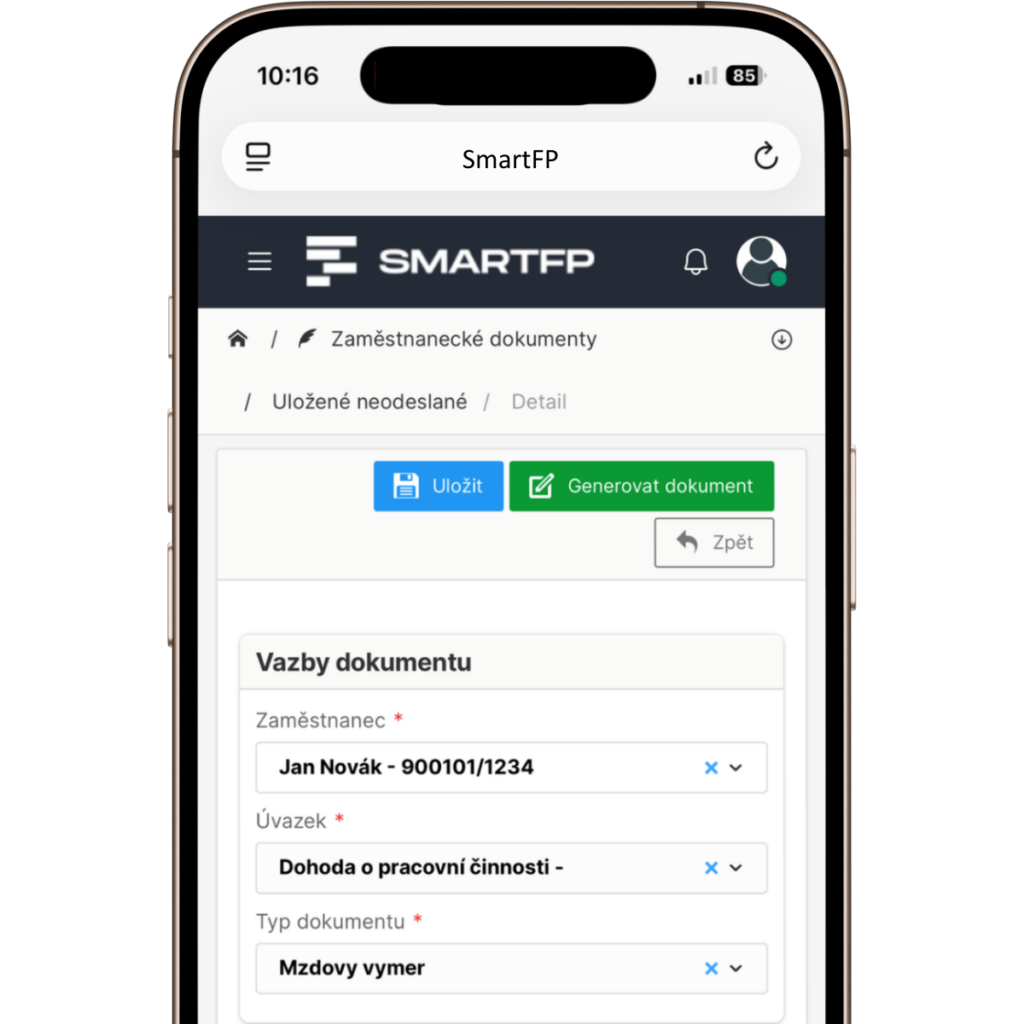
Some employee documents are unnecessarily complex and often end up with questions for the accountant. SmartFP has an intuitive wizard that guides the user through completion, pre-populates much of the data from the records and makes sure nothing is missing.
- the guide explains what belongs where (without groping)
- some fields are automatically pre-populated from the employee’s record
- fewer errors, fewer corrections and faster processing
Read our case study
See how SmartFP helps companies digitise their daily agenda in practice.

SmartFP simplified onboarding and gave HR processes a clear order
A medium-sized organization struggled with onboarding consisting of emails, attachments, manual transcription, and unclear responsibilities. As the number of employee…
Learn how to use SmartFP in minutes
You can customise the system to make it easy to use for everyone. Accountants, receptionists and bosses. On the computer and in the mobile app. Just a few details below. We will contact you and suggest a date for a demonstration, free of charge and without obligation.
FAQ
Your most common questions
Looking for answers to your questions or need help with our system? We’ve put together a list of frequently asked questions where you can find useful information and solutions to common problems. If anything is not clear to you? Send us a question.
What is onboarding and what does it include in SmartFP?
Onboarding is the process of onboarding an employee from data collection to finished documents and training. In SmartFP, this typically involves a pre-employment questionnaire, employee records, employee documents, familiarisation with policies/policies, e-learning and e-signing.
Can an employee fill in the details before joining?
Yes. The employee completes the personal questionnaire online before the first day. HR receives a notification, checks and confirms the data – and only then is the data used further in the process.
Does SmartFP have automatic reminders and notifications?
Yes. Notifications may come to HR when a questionnaire is completed, to an employee when a new document is introduced or when training is assigned. Reminders can be set up so that onboarding does not get stuck.
How do roles and permissions (HR / manager / employee) work?
You set what each role can see and do. HR has control and visibility, the manager can approve or confirm actions/checklist, the employee fills in data, gets familiar with documents, signs and receives training.
Does SmartFP replace a payroll or accounting system?
No. SmartFP handles onboarding, record keeping and documents. We don’t replace payroll and accounting, but instead allow you to connect and transfer data to your systems.
How do you ensure that the employee has been made aware of the Directive/BOZP in a demonstrable way?
SmartFP keeps track of the status of the familiarisation: read, acknowledged and signed (depending on the settings). HR keeps track of the completion and can send a reminder to those who have not completed the step.
Can onboarding be adapted to our internal process?
Yes. SmartFP is a modular platform, the workflow of steps, roles, forms, document templates and notifications can be arranged according to how onboarding works for you.
What can be tracked in an employee’s record?
In addition to basic data, you can record documents and attachments, benefits, medical examinations, parental/maternity and other internal information. Included is a change history and timeline.