
Onboarding process according to your workflow
Every organisation has a slightly different employee onboarding process. SmartFP is a modular platform, we put together steps, roles, notifications and documents to fit your internal policies.
Three phases of onboarding
Phase 1
Before the onset
Pre-entry questionnaire
HR sets up the candidate in the system, fills in the basic data and sends them a personal questionnaire.
HR sends a personal questionnaire
The candidate will be emailed a link, complete the questionnaire and return it.
HR check and confirmation
HR receives the notification, checks the data and confirms the questionnaire or returns it for completion.
Phase 2
Documents and evidence
Employee records
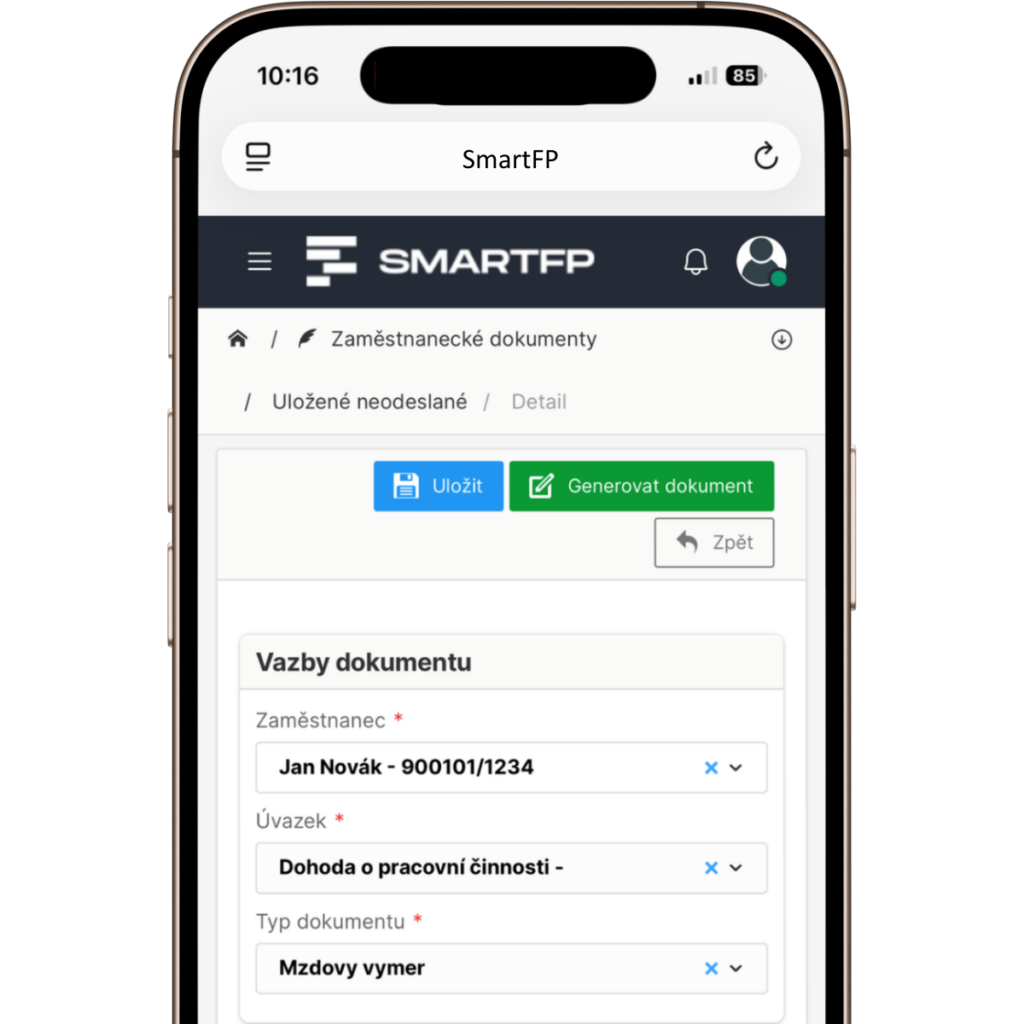
From the approved questionnaire, HR can create a user account for the employee with one click.
Automatic documents
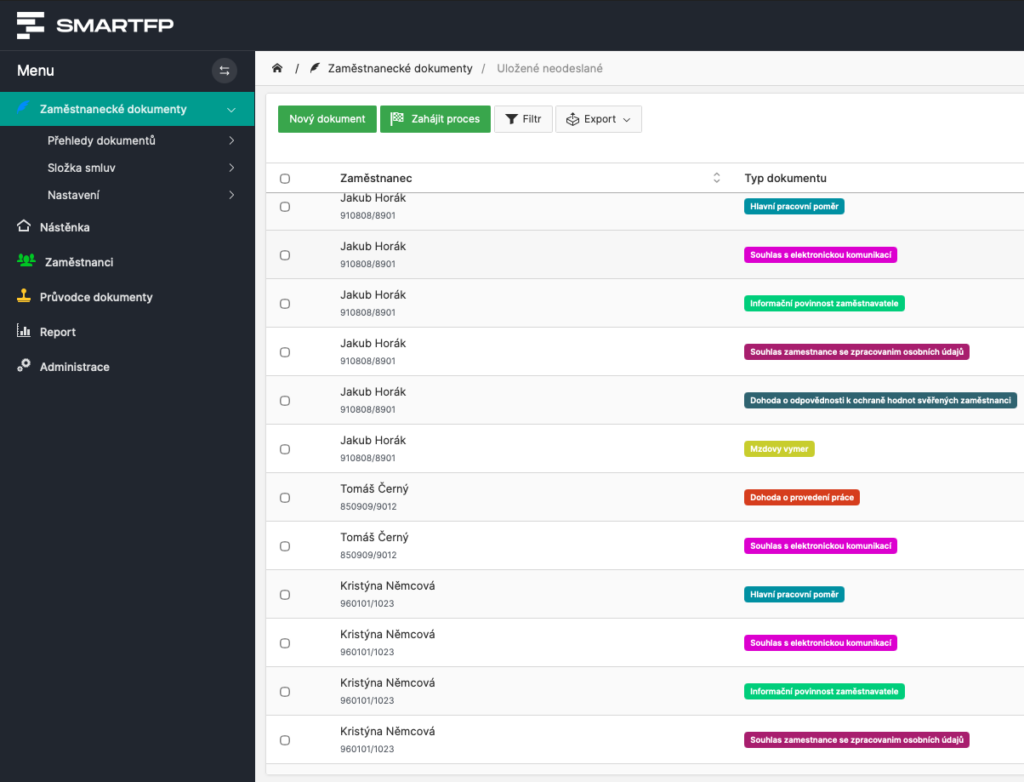
The system automatically prepares documents according to the set conditions (e.g. position or type of job).
PDF documents to sign
HR sends documents for electronic signature with a few clicks.
Phase 3
Familiarisation and training
Directive/BOZP: confirmation/signature
After the first login, the employee goes through a familiarisation session with the guidelines/BOZP or e-learning and HR has an overview of the tasks completed.
REST API
Thanks to the REST API, data from SmartFP can flow seamlessly to other company systems.
Who does what: HR, manager, employee
Onboarding is not just about the form. It’s a workflow where everyone knows what to do and HR has visibility into status, responsibilities and deadlines.
HR (control and overview)
sets up the process, checks the data, sees the status of execution and can send reminders.
Manager (involvement in steps)
can approve selected parts, confirm the checklist or take responsibility for specific onboarding steps.
Employee (execution of steps)
fills in data, familiarises himself with the directives, signs documents and receives training.
Permissions as required
You set what each role can see and change to make the process secure and transparent.
We tailor onboarding to your process
Every company’s employee onboarding process is a little different. SmartFP is a modular platform that puts together questionnaires, documents, guidelines and training into one workflow, exactly according to your internal steps and roles.
Onboarding = data + documents + training + signatures (in one process)
saving time
Notifications, reminders and checklists
The most time consuming part is not the onboarding itself, but the tracking and reminding. SmartFP automates communication and keeps track of what is done and what is not yet done.
What is being automated:
- Notification to HR – once the employee completes the questionnaire, HR receives a notification and can follow up with the next step.
- Automatic reminders – the system will remind you of unfulfilled guidelines or incomplete courses.
- Checklist of onboarding steps – you divide onboarding into specific steps and SmartFP monitors their completion.
- Less email and pinging – less manual reminders, more overview in one system.
Learn how to use SmartFP in minutes
You can customise the system to make it easy to use for everyone. Accountants, receptionists and bosses. On the computer and in the mobile app. Just a few details below. We will contact you and suggest a date for a demonstration, free of charge and without obligation.
FAQ
Your most common questions
Looking for answers to your questions or need help with our system? We’ve put together a list of frequently asked questions where you can find useful information and solutions to common problems. If anything is not clear to you? Send us a question.
What is onboarding and what does it include in SmartFP?
Onboarding is the process of onboarding an employee from data collection to finished documents and training. In SmartFP, this typically involves a pre-employment questionnaire, employee records, employee documents, familiarisation with policies/policies, e-learning and e-signing.
Can an employee fill in the details before joining?
Yes. The employee completes the personal questionnaire online before the first day. HR receives a notification, checks and confirms the data – and only then is the data used further in the process.
Does SmartFP have automatic reminders and notifications?
Yes. Notifications may come to HR when a questionnaire is completed, to an employee when a new document is introduced or when training is assigned. Reminders can be set up so that onboarding does not get stuck.
How do roles and permissions (HR / manager / employee) work?
You set what each role can see and do. HR has control and visibility, the manager can approve or confirm actions/checklist, the employee fills in data, gets familiar with documents, signs and receives training.
Does SmartFP replace a payroll or accounting system?
No. SmartFP handles onboarding, record keeping and documents. We don’t replace payroll and accounting, but instead allow you to connect and transfer data to your systems.
How do you ensure that the employee has been made aware of the Directive/BOZP in a demonstrable way?
SmartFP keeps track of the status of the familiarisation: read, acknowledged and signed (depending on the settings). HR keeps track of the completion and can send a reminder to those who have not completed the step.
Can onboarding be adapted to our internal process?
Yes. SmartFP is a modular platform, the workflow of steps, roles, forms, document templates and notifications can be arranged according to how onboarding works for you.
What can be tracked in an employee’s record?
In addition to basic data, you can record documents and attachments, benefits, medical examinations, parental/maternity and other internal information. Included is a change history and timeline.