Onboarding functions and documents in one system
From data collection to record-keeping to documents, guidelines and training, everything is linked to employees and traceable.

benefits
Personal questionnaire before arrival
SmartFP will allow you to collect data from the employee before they start. HR gets clean data that then links straight to records and documents, without the chaos of emails.
Pre-entry completion – the employee completes the information online before the first day.
Notification to HR – HR will receive a notification that the questionnaire has been completed and is awaiting review.
Check and Confirm – HR will check and confirm the data to ensure the records are correct.
Consents and communications – an employee can easily consent to electronic communications (and withdraw consent at any time).
Output to PDF – a clear PDF can be created from the completed data (e.g. for archiving or follow-up documents).
benefits
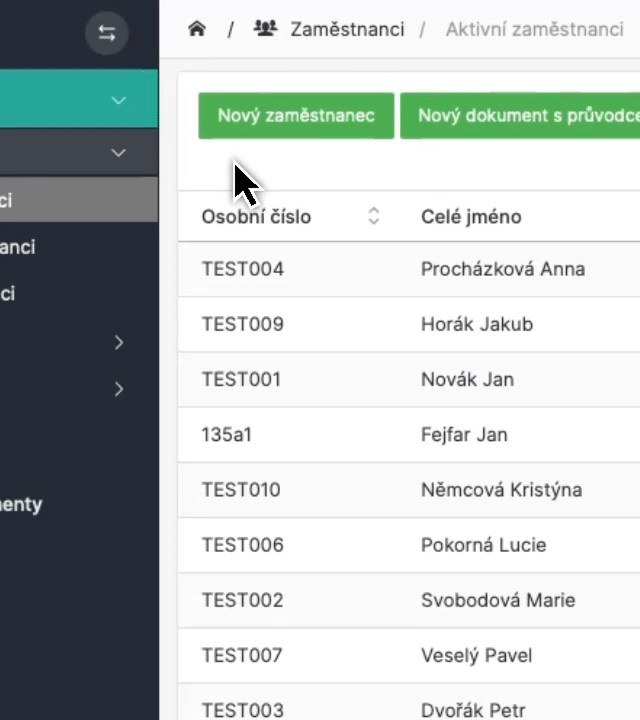
Employee records
Everything about the employee is in one place, data, attachments, important events and linked documents. And when something changes, SmartFP keeps a history.
- data, attachments, documents, files
- benefits, medical examinations, parental/maternity
- change history and timeline (who modified what when)
benefits
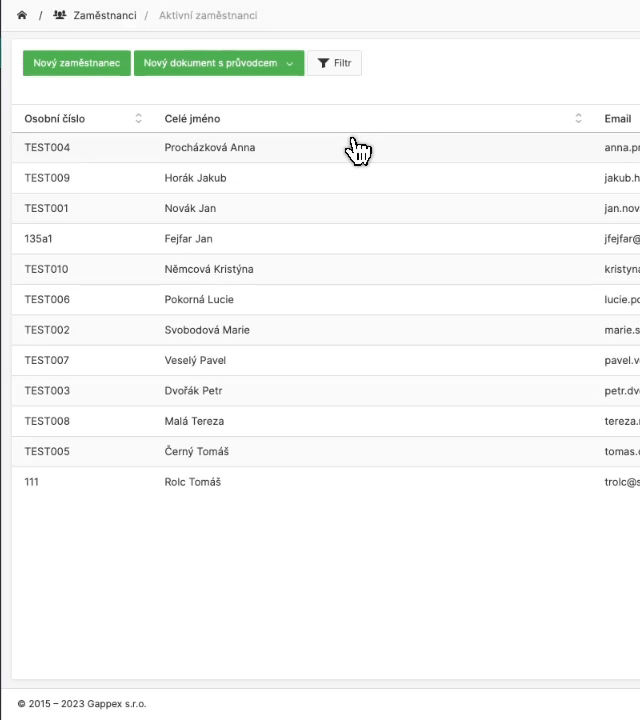
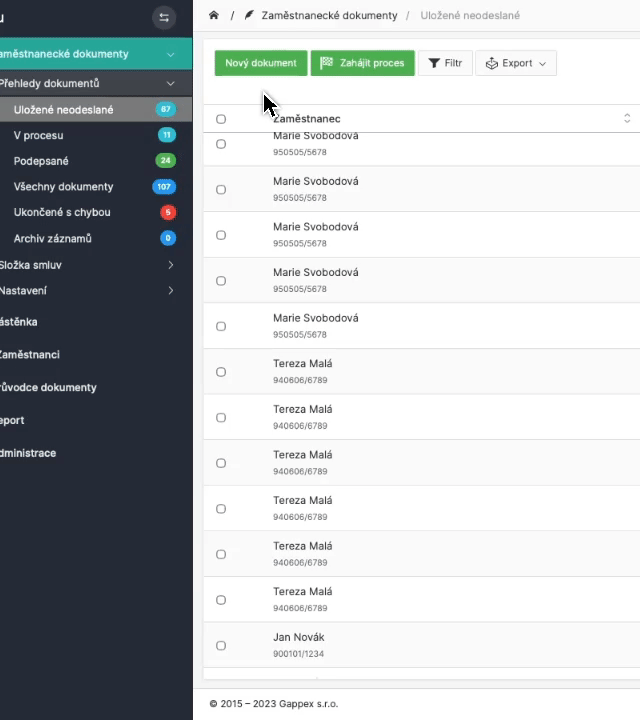
Document templates and automatic PDF generation
You prepare templates and SmartFP creates specific documents for your employees from them. This gives you a consistent output, fewer errors and faster administration.
Template library – ready-made templates (contracts, amendments, handover documents…).
Document generation – the system generates a document from the data in the records.
PDF output – the document is created directly as a PDF for uploading or archiving.
Uniform format – documentation looks consistent across the company.
Saved to an employee – everything is automatically linked to a specific person.
benefits
Guide to complex documents
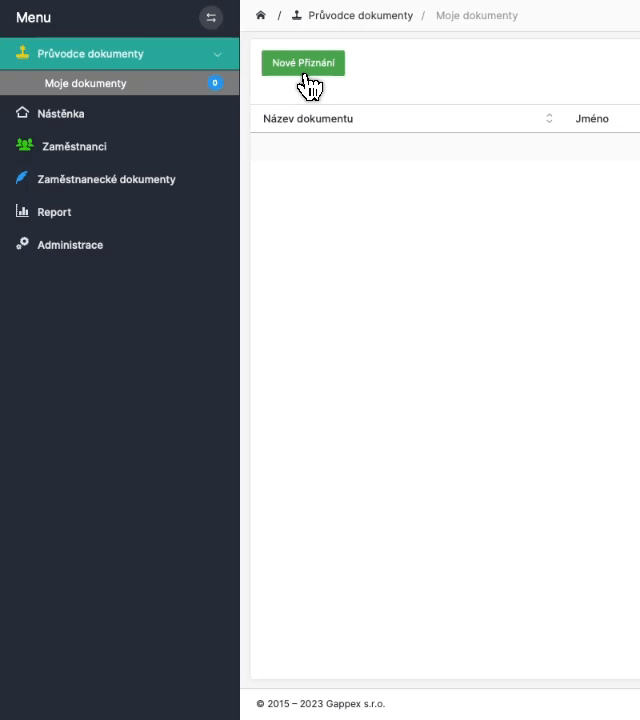
Some documents are complex and often end up with questions about accounting or payroll. SmartFP has a wizard that takes you step by step and pre-fills much of the data from the records.
Step by step – the guide explains what goes where and makes sure nothing is missing.
Pre-filling from the register – data is automatically filled in, minimum manual work.
Fewer errors and corrections – Reduction of typos and incomplete forms.
Typical documents – Taxpayer’s declaration, annual statement, payroll statement.
Clear output – The result is a correctly completed document ready for archiving/signing.
benefits
Electronic signing
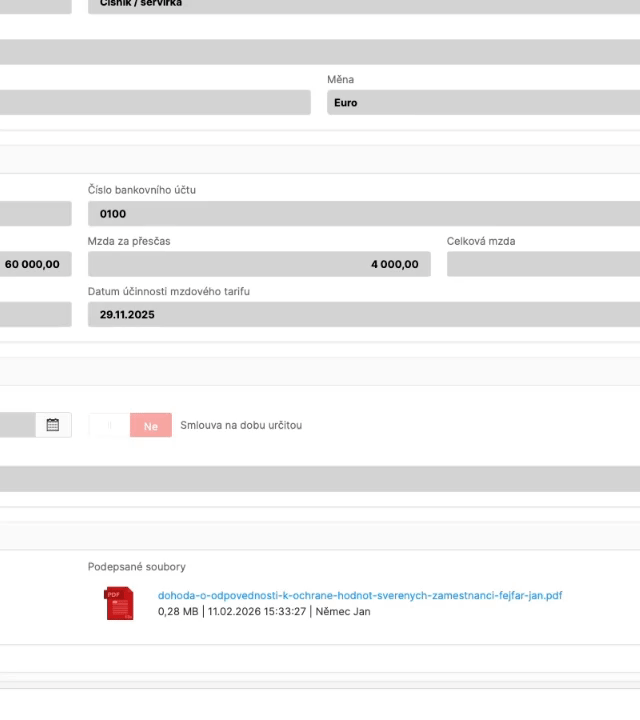
Signing is not a separate “side job”. In SmartFP it is part of the process – you send the document for signature and the signed PDF is automatically returned to the employee’s record.
Signature linked to the document – you know exactly who signed what and when.
Signed PDF in the records – the document is saved directly to the specific employee.
Support for multiple services – connection according to your preferences (Signi, eSigno, DigiSign, InSign, Identity of the Citizen, Sefira…).
Consent to electronic communication – easy to grant and revoke.
Audit trail – traceable history of steps in the signing process.
benefits
Directives (OHS, internal rules)
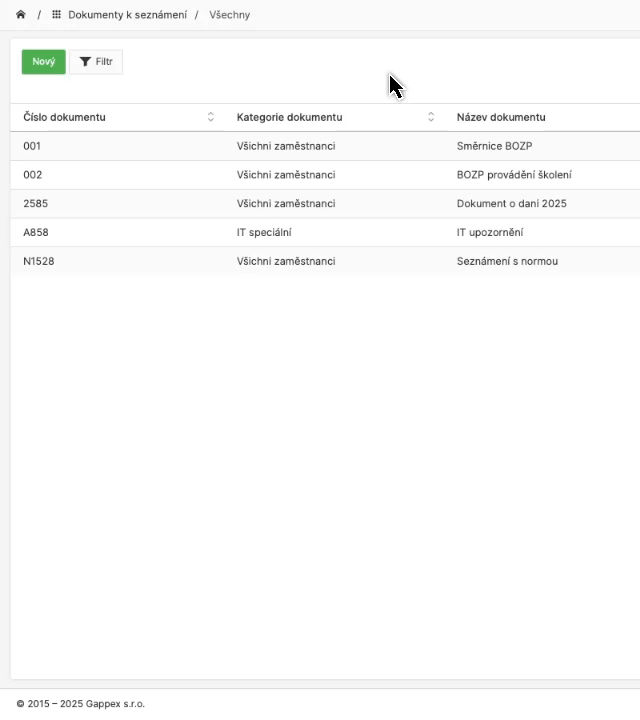
HR publishes the document, determines who they pay, and SmartFP keeps track of who has met. The result is traceable and ready for internal control and audit.
- Document Publication – HR inserts the directive/BOZP and selects the employee group.
- Email notification – employees will automatically receive information that they are about to be introduced.
- Acknowledgement / checkbox / signature – depending on the type of document, you can set what the employee should do.
- Demonstrability – you can clearly see who read, approved or signed.
- Reminders – automatic or manual reminders can be sent to those who have not complied.
benefits
E-learning and tests
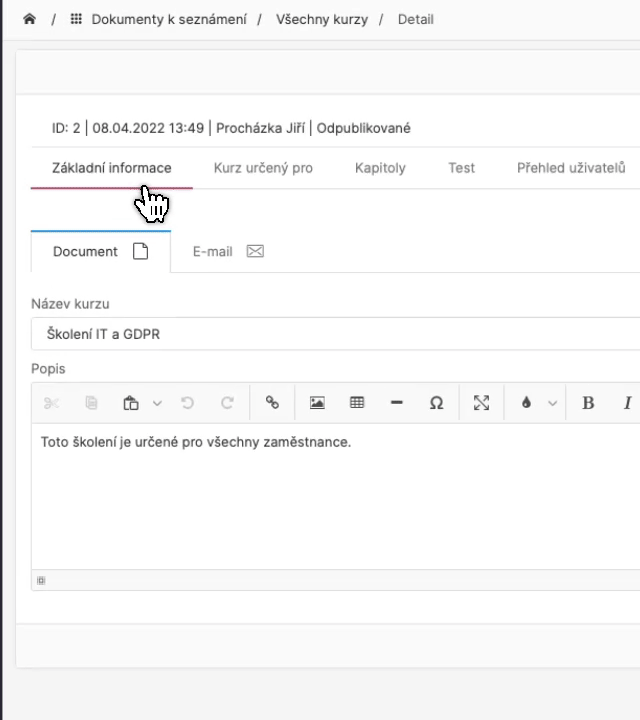
Training newcomers does not have to be “somewhere in the presentation”. In SmartFP you create chapters, content and tests and you can be sure that onboarding training has taken place.
Chapters and content – a simple breakdown that can be managed by HR.
Tests and Verification – opportunity to check understanding (as required).
Custom content – HR can insert texts, links and even HTML content.
Overview of completion – who graduated, who didn’t, and where they got stuck.
Ideal for repeat hires – standardize training across the company.
Read our case study
See how SmartFP helps companies digitise their daily agenda in practice.

SmartFP simplified onboarding and gave HR processes a clear order
A medium-sized organization struggled with onboarding consisting of emails, attachments, manual transcription, and unclear responsibilities. As the number of employee…
Learn how to use SmartFP in minutes
You can customise the system to make it easy to use for everyone. Accountants, receptionists and bosses. On the computer and in the mobile app. Just a few details below. We will contact you and suggest a date for a demonstration, free of charge and without obligation.
FAQ
Your most common questions
Looking for answers to your questions or need help with our system? We’ve put together a list of frequently asked questions where you can find useful information and solutions to common problems. If anything is not clear to you? Send us a question.
What is onboarding and what does it include in SmartFP?
Onboarding is the process of onboarding an employee from data collection to finished documents and training. In SmartFP, this typically involves a pre-employment questionnaire, employee records, employee documents, familiarisation with policies/policies, e-learning and e-signing.
Can an employee fill in the details before joining?
Yes. The employee completes the personal questionnaire online before the first day. HR receives a notification, checks and confirms the data – and only then is the data used further in the process.
Does SmartFP have automatic reminders and notifications?
Yes. Notifications may come to HR when a questionnaire is completed, to an employee when a new document is introduced or when training is assigned. Reminders can be set up so that onboarding does not get stuck.
How do roles and permissions (HR / manager / employee) work?
You set what each role can see and do. HR has control and visibility, the manager can approve or confirm actions/checklist, the employee fills in data, gets familiar with documents, signs and receives training.
Does SmartFP replace a payroll or accounting system?
No. SmartFP handles onboarding, record keeping and documents. We don’t replace payroll and accounting, but instead allow you to connect and transfer data to your systems.
How do you ensure that the employee has been made aware of the Directive/BOZP in a demonstrable way?
SmartFP keeps track of the status of the familiarisation: read, acknowledged and signed (depending on the settings). HR keeps track of the completion and can send a reminder to those who have not completed the step.
Can onboarding be adapted to our internal process?
Yes. SmartFP is a modular platform, the workflow of steps, roles, forms, document templates and notifications can be arranged according to how onboarding works for you.
What can be tracked in an employee’s record?
In addition to basic data, you can record documents and attachments, benefits, medical examinations, parental/maternity and other internal information. Included is a change history and timeline.