
Do you know who has what assets in the company ?
Laptops, phones or equipment end up in Excel or “somewhere”. SmartFP gives you an instant overview – who has what, where it is and what condition it’s in.

problems
Typical asset management problems
Problems
- Employee leaves and no one knows what he had
- Assets recorded in Excel are not up to date
- Laptops and equipment are getting lost
- Inventory takes a few days
How SmartFP solves it
- Every property has its owner
- Handover and change history
- Quick inventory in minutes

Find out who has what assets in your company – in 15 minutes
without commitment
Just 15 minutes
why SmartFP
What asset management in SmartFP can do
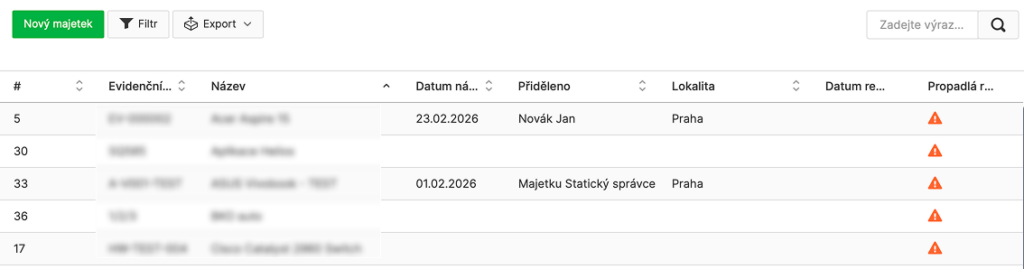
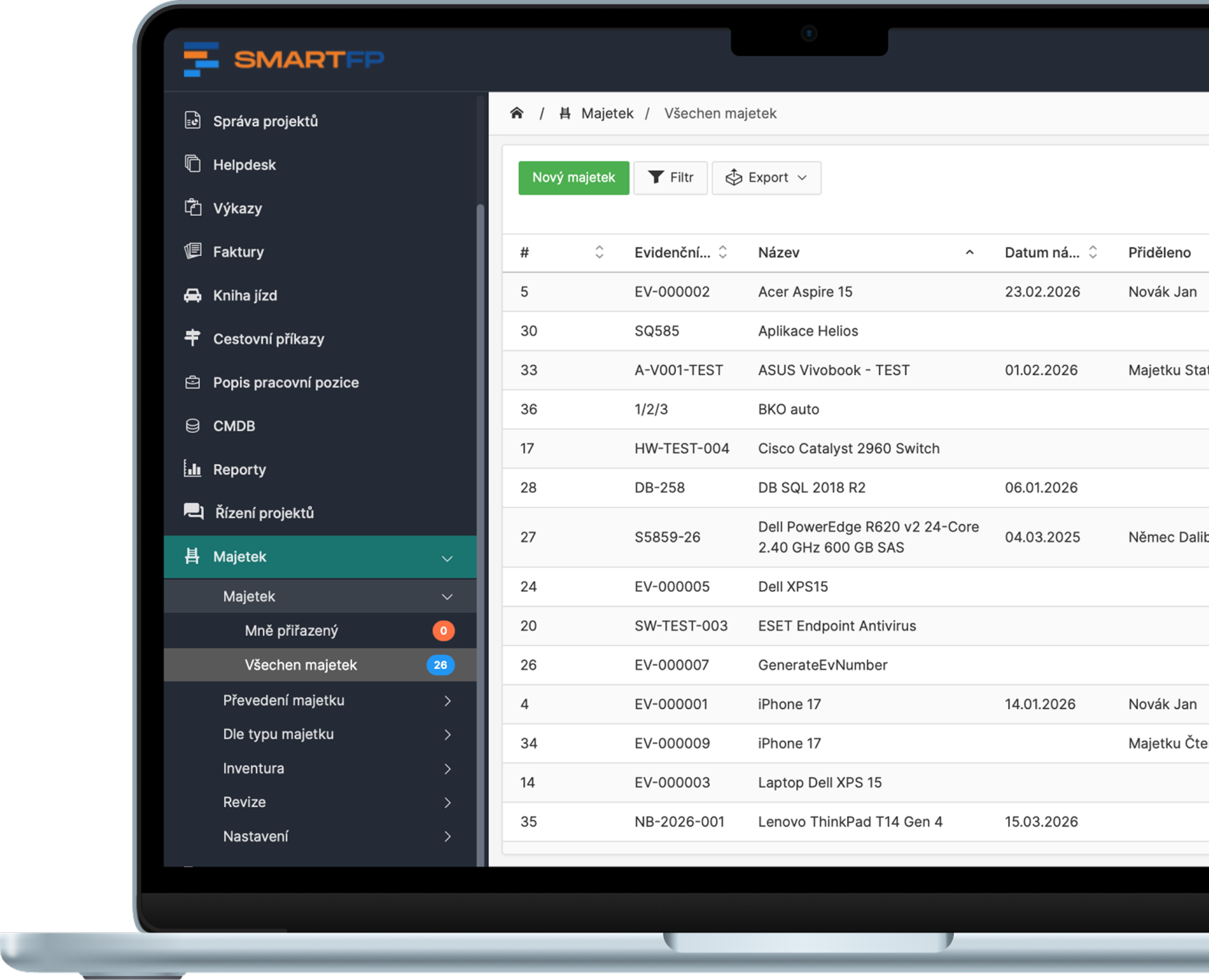
All asset types in one registry (HW, SW, licenses and servers)
In SmartFP, you keep universal records of your assets – from laptops and mobile phones to servers, software and licences. Each asset has its own card with identifiers, supplier, warranty, location and attachments.
The result: you have a “source of truth” about what the company owns and manages.
- universal records (HW/SW/license/databases/servers)
- identifiers, supplier, warranty, important data
- files and notes directly on the asset
You know exactly who has what assets and where they are
Assets can be assigned to an employee, an organizational unit and a specific location (location, building, room). This allows you to quickly filter and respond to incidents or inventory.
- assignment of property to an employee or unit
- location: location → building → room
- quick filters “who has what” and “what’s where”
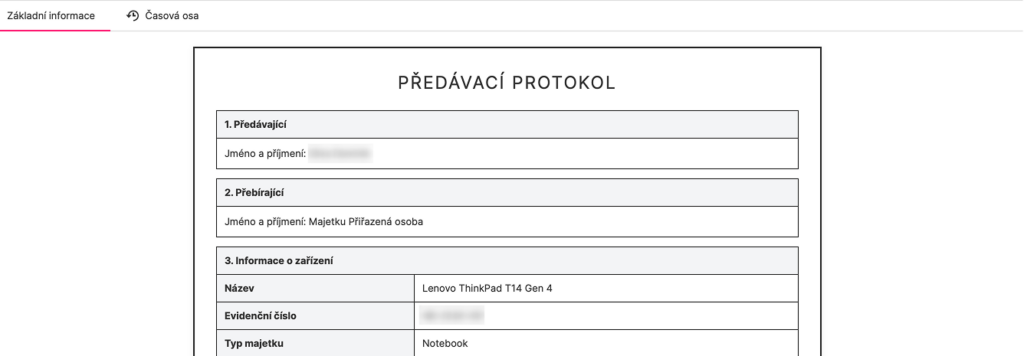
Paperless handover and transfers (with protocol and confirmation)
When assets are transferred, SmartFP does it procedurally: transfer request, transfer report and acknowledgement of receipt (or rejection). Everything is traceable in the asset history.
- transfer requests between users + transfer overview
- generation of the asset handover report
- user acceptance/rejection approval
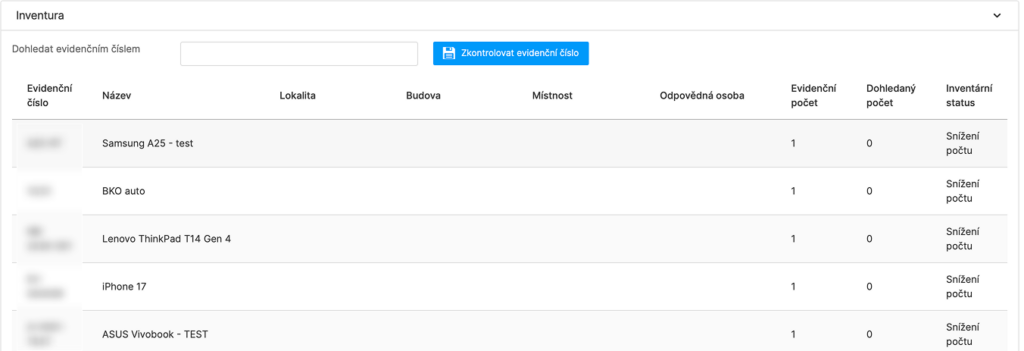
Inventory by location or responsible person (QR verification)
Start the inventory by location, building, room or responsible person. The check is carried out via a registration number or QR code and the system evaluates the differences between the registration and the reality.
- inventories by location/room/responsible person
- check via registration number or QR
- evaluation of differences + storage of progress and result

Inspection and service reports with dates and history
For assets that require inspection or servicing, keep logs, defects and corrective actions. SmartFP monitors the expiration dates of revisions and keeps a history for each piece of equipment.
- inspection reports, service contractor/technician, report numbers
- revision validity dates + revision plan
- defects and recommended corrective actions + revision history
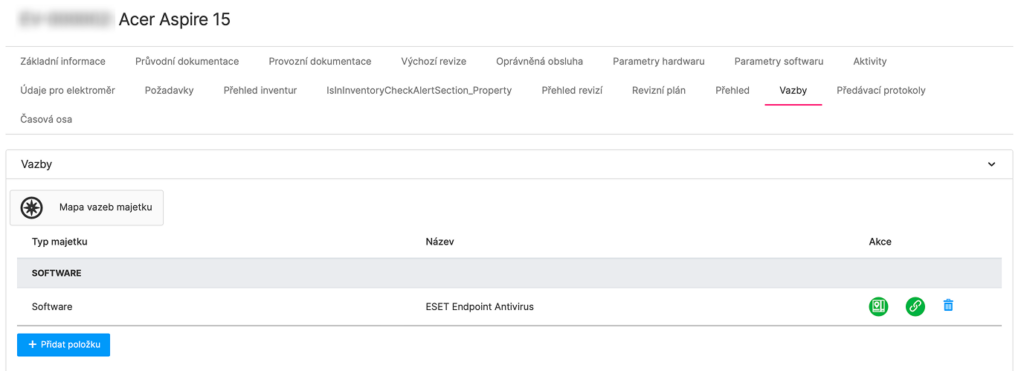
Links between assets: know what runs on what and what builds on each other
SmartFP allows you to keep track of the links between assets – for example, software and licenses tied to a server, or databases tied to a specific infrastructure.
- software-server, database-server, license-device bindings
- technical parameters and additional cards (CMDB fields)
- overview of events and activities at the asset
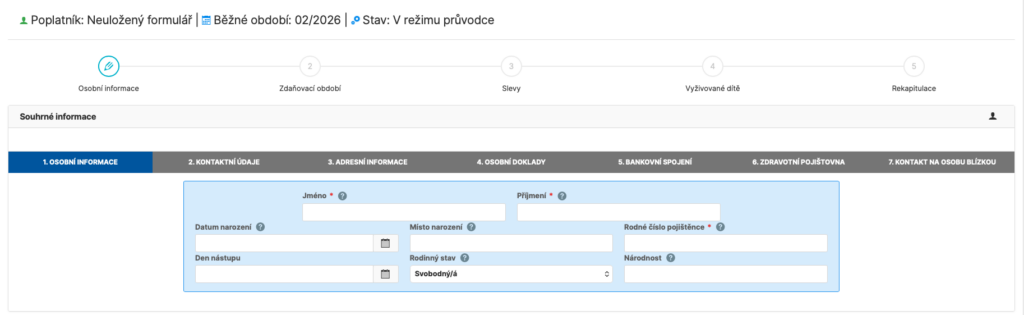
Signatures as part of the process (the document is returned directly to the register)
Some employee documents are unnecessarily complex and often end up with questions for the accountant. SmartFP has an intuitive wizard that guides the user through completion, pre-populates much of the data from the records and makes sure nothing is missing.
- the guide explains what belongs where (without groping)
- some fields are automatically pre-populated from the employee’s record
- fewer errors, fewer corrections and faster processing
Ready for audit
The first question in an audit is always “what are you protecting?”. SmartFP acts as a central asset register – with assignments, locations, history and outputs. It’s tidy for IT and auditors alike.
Assets = register + assignment + inventory + revisions + audit trail
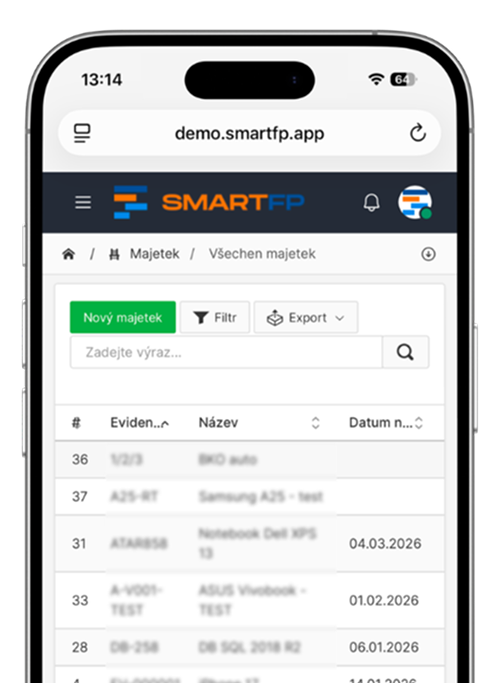
How asset management works in SmartFP
Phase 1
Evidence
You create an asset card and add the basic details – type, supplier, warranty and location.
You are clear about what you have and where it is.
Phase 2
Life cycle
You assign the property to the user, handle the transfer, transfer and return.
Everything is traceable, including change history.
Phase 3
Control and audit
Take inventory (QR / registration numbers), record revisions and track history.
Always know what has happened to the assets – ready for audit and NIS2.
Who for?
Our platform is for everyone
Safety / compliance
Device and license overview, quick filtering, vulnerability response
CIO / IT Manager
inventories, audits, audit trail, process demonstrability
Management / Owner
cost control, asset life cycle, disposal and liability
Read our case study
See how SmartFP helps companies digitise their daily agenda in practice.

The biggest asset management problem? Not knowing who’s carrying what
The customer has already registered the property. He therefore did not suggest that he had no knowledge of it. The…
Learn how to use SmartFP in minutes
You can customise the system to make it easy to use for everyone. Accountants, receptionists and bosses. On the computer and in the mobile app. Just a few details below. We will contact you and suggest a date for a demonstration, free of charge and without obligation.
FAQ
Your most common questions
Looking for answers to your questions or need help with our system? We’ve put together a list of frequently asked questions where you can find useful information and solutions to common problems. If anything is not clear to you? Send us a question.
What type of assets can SmartFP record?
Hardware (laptops, mobile phones, servers), software, licenses, databases and other assets. Each asset has its own card with identifiers, classification, supplier, warranty, location and attachments.
How does the transfer of assets to an employee work?
SmartFP will enable the allocation of assets and the generation of a handover report. The employee can confirm (or reject) the acceptance and everything is stored in the asset history.
How is the asset inventory carried out?
You create an inventory by location, building, room or responsible person. The check is carried out via a registration number or QR code and the system evaluates the differences between the registered and actual status.
How does SmartFP help with NIS2 requirements?
NIS2 starts with an overview of your assets: what you have, who uses it, where it is and what the status is. SmartFP provides a central asset registry, traceability, inventory, revisions and history – the evidence that auditors and IT need to manage risk.
I’ll see who has a particular device and where it is located?
Yes. Assets can be assigned to an employee or an organizational unit and the location (location, building, room) can be recorded. Thanks to the filters you can quickly find out “who has what” and “what is where”.
Can the system transfer assets between employees?
Yes. It is possible to keep track of requests for transfer of assets, to have an overview of all transfers and the process of acceptance/approval. The history is traceable to the specific asset item.
Does SmartFP support QR codes?
Yes. You can print QR labels to identify assets and use them for inventory (or for measurement readings if you keep records).
Is an audit trail and change history available?
Yes. For each item you can see the history of changes and events (who modified what when), plus an overview of inventory and revisions. This is essential for internal control and auditing.