
Invoices in SmartFP
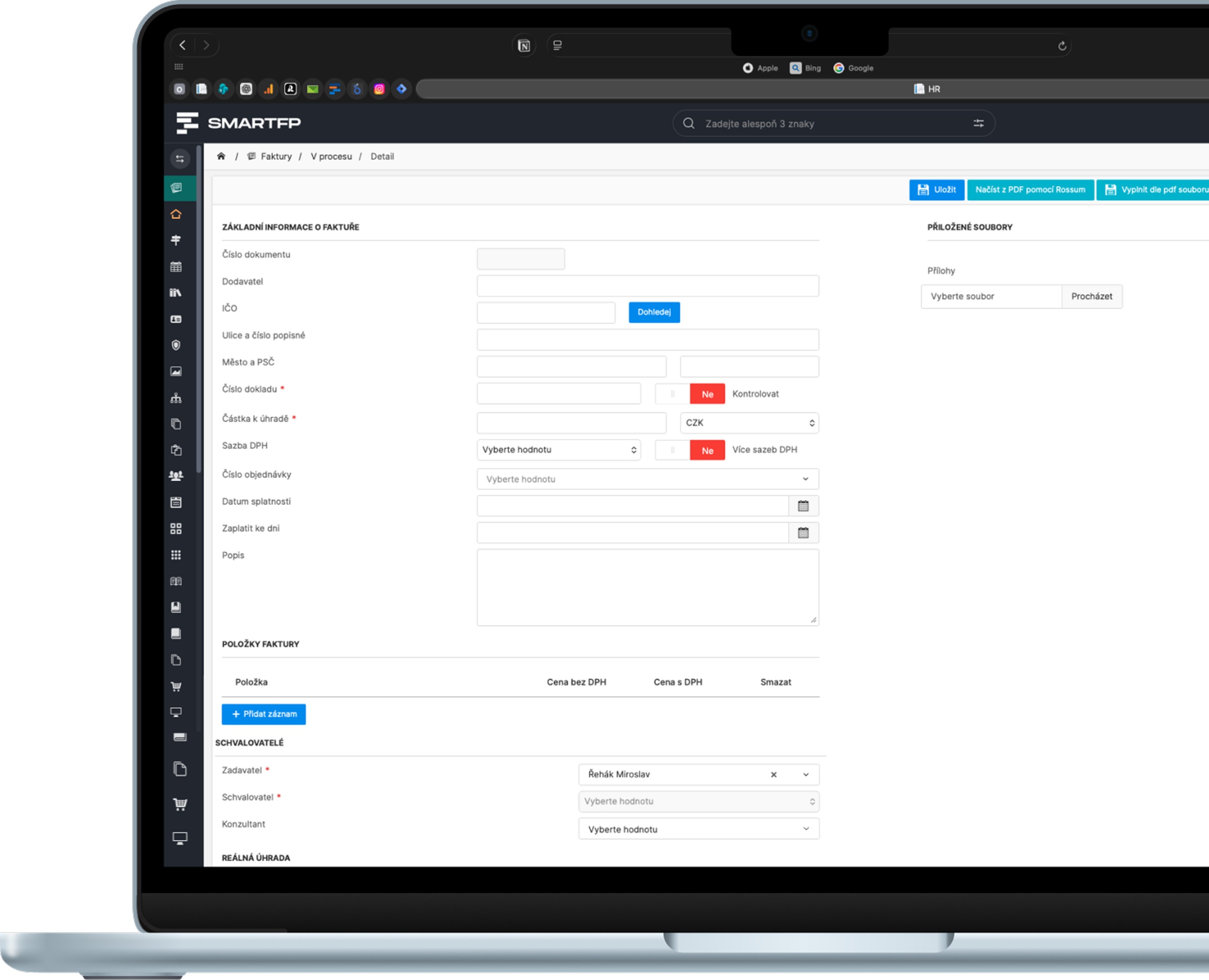
SmartFP simplifies the entire invoicing process – from receipt of the document through approval to transmission to accounting. Electronic record keeping replaces paper files and opaque email communication.

find out why
Get rid of unnecessary errors and speed up invoice processing
Cost savings
By digitising your invoices, you can reduce costs associated with printing, paper purchases and postage. You also don’t have to fill your file cabinets with hundreds of documents.
Clarity and accessibility
In the electronic register, you have all your documents in one place and can access them from anywhere, even from your mobile phone.
Control of payables and maturities
You can immediately see what’s pending approval and what’s coming due. Fewer surprises, better cashflow planning.
Speed and efficiency
Create, send and approve invoices in a few clicks.
Reduction
error rate
Automatic checks will look after errors such as typos or incorrect amounts for you.
Connection to accounting
Prepare approved invoices for export to the accounting system without double entry and without differences between departments.
Who for?
For accountants, management and operations, everyone has an overview
Accountant
order in documents, prepared documents for posting, less overwriting
Management
control of accounts payable, overview of invoice status, audit trail and transparent approval
Operation
fast invoice creation, tracking in seconds, work from anywhere
why SmartFP
What invoices in SmartFP can do
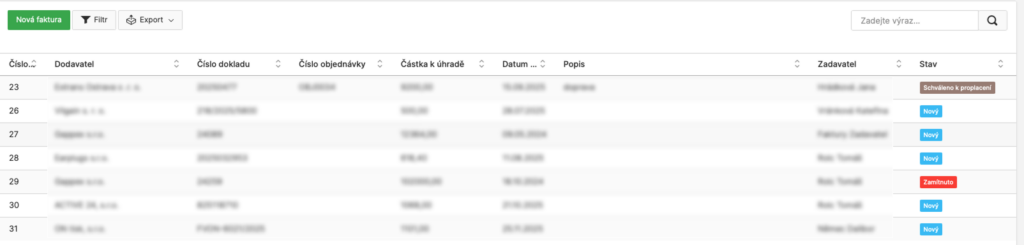
Always know where an invoice is
All invoices are in one place and each has a clearly defined status. No searching through email or folders.
- Electronic records – all documents stored in the system, including attachments.
- Invoice statuses – you can see immediately: new, pending, returned, ready for posting.
- Filter and search – supplier, period, status, approver, department…
- Access from anywhere – office, home office and mobile.
- Archive for control – prepared documents for internal control.
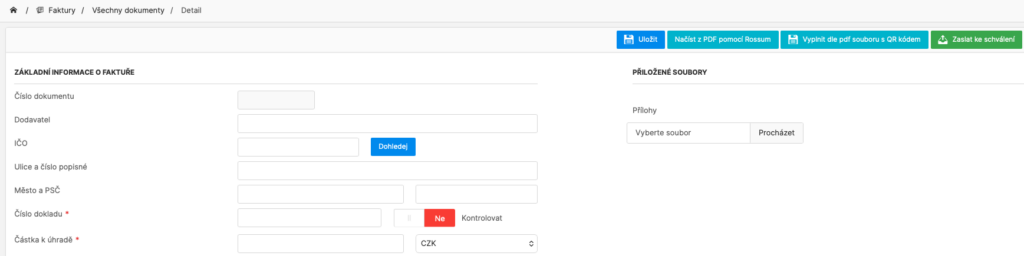
Create an invoice in a few clicks
The process is built in such a way as not to burden the user with unnecessary administration. The goal is to quickly capture the document and send it on for approval.
- Quick set-up – minimum number of steps, clear fields.
- Manual or bulk entry – invoices can be created for another person (assistant, accountant).
- Pre-populated data – the system fills in what it can, you just check.
- Uniform entry method – same process across departments.
- Fewer errors – fewer typos and mistakes in amounts.
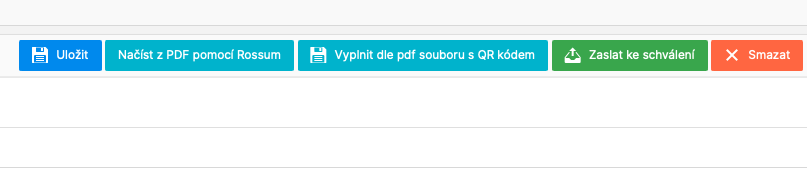
Manual transcription replaces automatic data retrieval
Instead of overwriting the data from the document, SmartFP reads the data from the attached file and the user just checks it.
- Retrieving data from the attachment – faster recording of the document.
- Less manual work – significant reduction in overwriting.
- Reduced error rate – fewer typos and inconsistencies.
- Faster document circulation – invoices go to approval sooner.
Electronic approval without paper (according to your rules)
We set the approval process according to the organisation – people, structure, financial limits and internal rules. Every step is traceable.
- Online approval – no printing and no physical delivery.
- Authorisation limits – who can authorise what amounts.
- Organizational structure – approval by department, team or project.
- Returns / rejections with comments – transparent communication in the process.
- Audit trail – who approved, when and in what state.
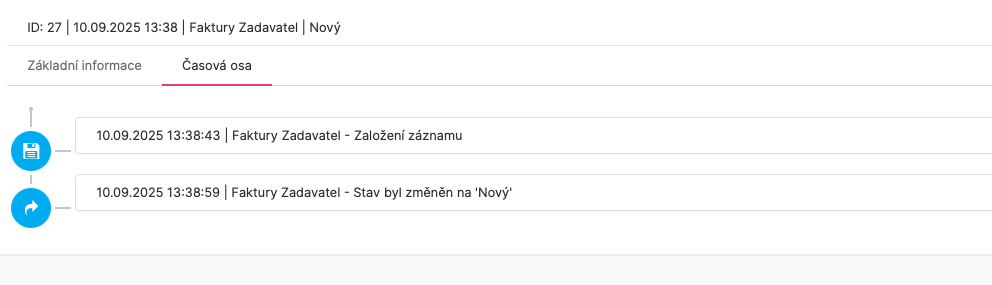
Archive and audit trail: traceability for internal control
SmartFP gives you control over both accounts payable and where the invoice is located. All steps are saved and traceable.
- Electronic archive – invoice + attachments in one place.
- Overview of documents in progress – what is waiting for approval, what is finished.
- Filters – supplier, status, approver, department, period.
- Audit trail – who set it up, who approved it, when the action took place.
- Transparency – greater control of costs before they are booked.
Accounting works with the same data (without overwriting)
The module works with rules and dials to keep data consistent and ready for the accounting system. Operations and accounting thus share the same documentation.
- Link to accounting – mark approved invoices for export and forward to the accounting system.
- Consistent input – dials and rules unify work across the company.
- PDF output – invoice overview including attachments and posting.
- Data sentence / export – transfer to the accounting system without manual transcription.
- Connection to modules – Orders (matching), Projects/FastTask (costs), Contracts (links).
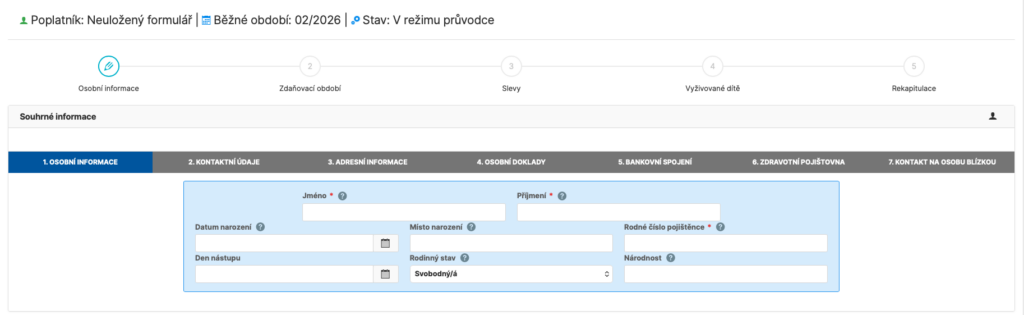
Signatures as part of the process (the document is returned directly to the register)
Some employee documents are unnecessarily complex and often end up with questions for the accountant. SmartFP has an intuitive wizard that guides the user through completion, pre-populates much of the data from the records and makes sure nothing is missing.
- the guide explains what belongs where (without groping)
- some fields are automatically pre-populated from the employee’s record
- fewer errors, fewer corrections and faster processing
3 stages of invoice processing in SmartFP
Phase 1
Acceptance
Creating an invoice
You can manually file the invoice or the system will retrieve the data from the attachment.
Checking data and attachments
You just fill in the necessary information and attach the documents.
Phase 2
Approval and processing
Online approval
The approver approves, returns the invoice for completion or rejects it with comments.
Assignment and completion
You assign the invoice to a department, project or order (as appropriate).
Phase 3
Accounting and Archive
Export to accounting
Export to accounting
Archiving and audit trail
You can always find the status, history and who did what in the archive.
Read our case study
See how SmartFP helps companies digitise their daily agenda in practice.

SmartFP simplified onboarding and gave HR processes a clear order
A medium-sized organization struggled with onboarding consisting of emails, attachments, manual transcription, and unclear responsibilities. As the number of employee…
Learn how to use SmartFP in minutes
You can customise the system to make it easy to use for everyone. Accountants, receptionists and bosses. On the computer and in the mobile app. Just a few details below. We will contact you and suggest a date for a demonstration, free of charge and without obligation.
FAQ
Your most common questions
Looking for answers to your questions or need help with our system? We’ve put together a list of frequently asked questions where you can find useful information and solutions to common problems. If anything is not clear to you? Send us a question.
What does the Invoices module in SmartFP do?
Electronic registration of invoices, their processing and approval, status overview, archive and preparation of documents for accounting (export / outputs). All in one flow.
How quickly can I create a new invoice?
Invoices can be created in a few clicks. The data can be entered manually or SmartFP will retrieve it from the attached document and you just check it.
What if the approver returns or rejects the invoice?
The approver may return the invoice for completion or reject it with comments. Everything is recorded and traceable (who, when, why).
Does SmartFP have an audit trail?
Yes. For each invoice, you can see the history of steps and changes – who created the document, who approved it, when the changes were made, and what state the invoice was in.
Does SmartFP replace accounting?
No. SmartFP does not replace accounting – it prepares uniform data and outputs so that they can tie seamlessly into your accounting system without manual rekeying.
Is it possible to set up approvals by company (roles, limits, structure)?
Yes. The approval process is set according to your rules – who approves, within what financial limits, by department, project or responsibility.
Can I see where the invoice is right now?
Yes. Each invoice has a clear status (new, pending, returned, ready to post…) and you can see who’s next.
Can an invoice be assigned to a project, department or order?
Yes. Invoices can be assigned according to the needs of the organization – typically to a department, project, order or contract (links to other modules).