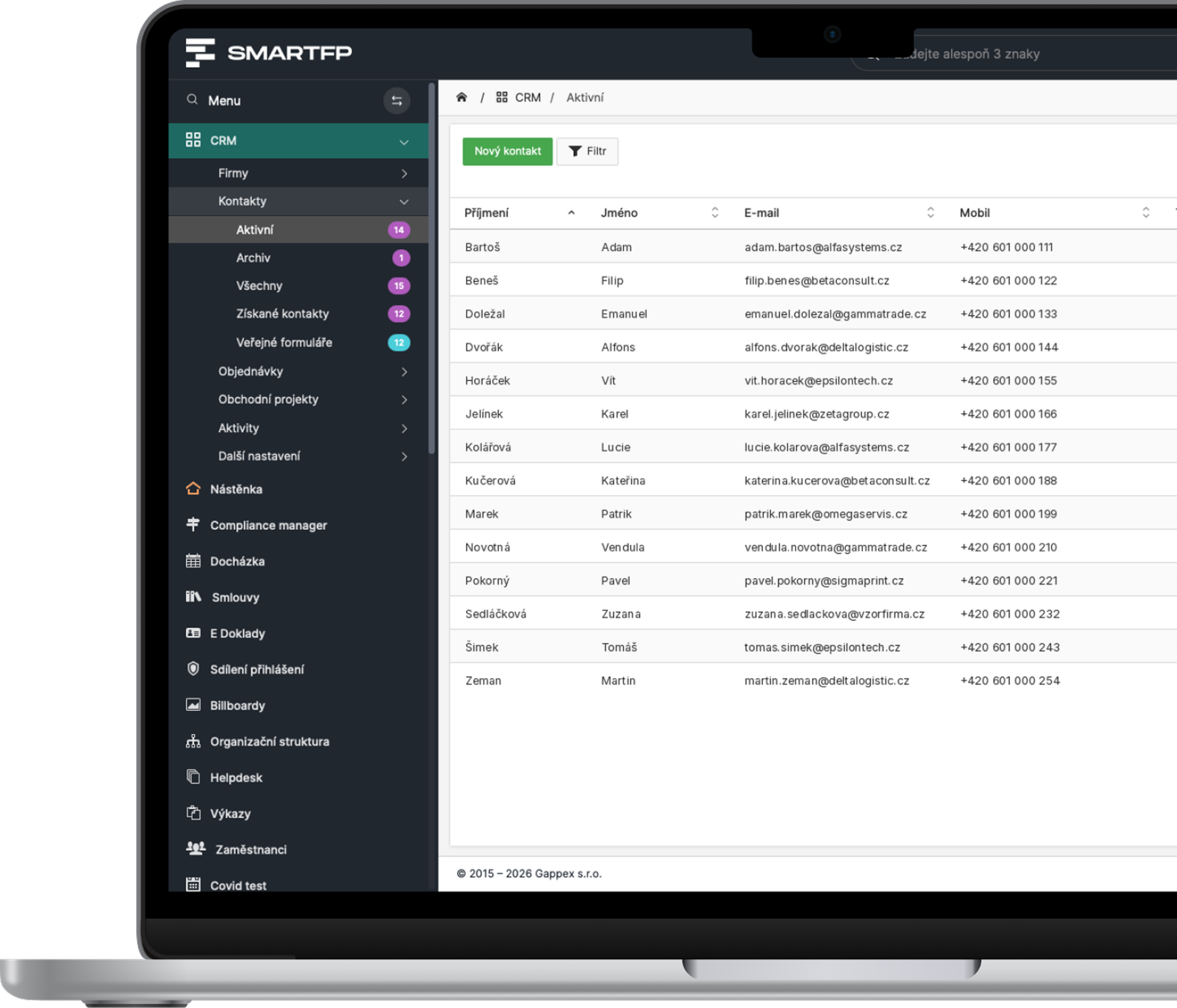
A Centralized Overview of Customers and Sales
Contacts, communication history, and sales opportunities—all in one place. The sales team knows who to talk to, and you can see how the deal is progressing.
main functions
Everything You Need for Customer Relationship Management
From contacts and communication history to sales opportunities and sales analytics.
Contact Database
Contact information and customer details all in one place.
History of Communication
Emails, phone calls, social media, and in-person meetings with customers.
Business Opportunities
You can see what stage each trade is in and what will move it forward.
Activity Planning
You can schedule calls, meetings, and follow-ups, and nothing will fall through the cracks.
Automatic Notifications
Notifications about scheduled activities and pending opportunities.
Sales Analytics
Salespeople’s performance, trends, and customer behavior patterns.
Problems vs. Solutions
Contacts in Excel don’t lead anywhere
A relationship with a customer is built on information—and that information must be available to the entire team, not just in the mind of a single sales representative.
Problems
Contacts in Tables
Every trader keeps their own list in their own way.
History is fading away
You don’t know what was agreed upon with the customer or when.
Stores Without an Overview
There is no overview of which opportunities are at which stage.
A Salesperson’s Departure
When a person leaves, their contacts and pending business deals go with them.
Making Decisions by Eye
There is a lack of data on team performance and customer behavior.
How SmartFP solves it
One database
Contacts and customer information all in one place.
Complete History
Emails, calls, and meetings for each customer.
Overview of Opportunities
For each transaction, you can see the stage and the next step.
The data remains with the company
History and contact information remain in the system, not with an individual.
Reports and Analytics
Team performance and trends in customer behavior.
From the first contact to the completion of the request
CRM integrates with other SmartFP modules. The sales module is linked to a help desk for customer requests, tasks, and a calendar for planning activities; and where contracts are signed, it includes electronic document signing.
Helpdesk
Tasks and Calendar
Electronic signing
Reports and Dashboards
Keep Your Business Under Control
Contacts, communication, and opportunities all in one place—on your computer and on your phone.

How It Works (3 Steps)
Add contacts
Import customers or enter them manually and organize them into groups.
Everything in one place—no private spreadsheets.
Lead the conversation
Emails, calls, and meetings are saved in the customer’s file.
Nothing will fall out, even when it’s crowded.
Follow the store
In the overview, you can see the stages of opportunities as well as the entire team’s performance.
You’ll have the information you need to make a decision right away.
Who for?
Who Is the CRM in SmartFP For?
Sales Team
He knows who to call, what was agreed upon, and what the next step is.
customer overview
activity planning
Communication History
Store Manager
It tracks both the status of opportunities and the performance of individual salespeople.
Real-time store status
performance reports
planning documents
Marketing
It segments customers and tailors offers based on their behavior.
customer segmentation
purchasing preferences
personalized offers
Customer support
It can see the entire history, so the customer doesn’t have to repeat anything.
context for each customer
cross-channel communication
computer and cell phone
Read our case study
See how SmartFP helps companies digitise their daily agenda in practice.

AAA AUTO has accelerated the resolution of IT requirements thanks
When the original ticketing system is no longer sufficient IT requirements were under control. The problem was that the system that…
Learn how to use SmartFP in minutes
You can customise the system to make it easy to use for everyone. Accountants, receptionists and bosses. On the computer and in the mobile app. Just a few details below. We will contact you and suggest a date for a demonstration, free of charge and without obligation.
FAQ
Your most common questions
Looking for answers to your questions or need help with our system? We’ve put together a list of frequently asked questions where you can find useful information and solutions to common problems. If anything is not clear to you? Send us a question.
What kind of customer information can I keep on file?
Contact information, communication history, purchasing preferences, and customer behavior. You can expand the data based on your store’s needs.
From which channels is communication stored?
Emails, phone calls, social media, and in-person meetings. This gives you a complete overview of all interactions with the customer.
How do we track the status of sales opportunities?
Every opportunity has its own phase and planned activities. The overview shows you where the deal stands and what will move it forward.
What happens when a salesperson leaves?
Contacts, history, and pending deals all remain in the system. Transferring them to a colleague takes just a moment.
What data will management receive?
Sales team performance, the progress of sales activities, and trends in customer behavior. This data serves as the basis for strategic decision-making.
Can the CRM be integrated with other modules?
Yes. It integrates with the help desk, tasks, and calendar, as well as with electronic document signing.