
NIS2 and asset management: do you know exactly what you are protecting?
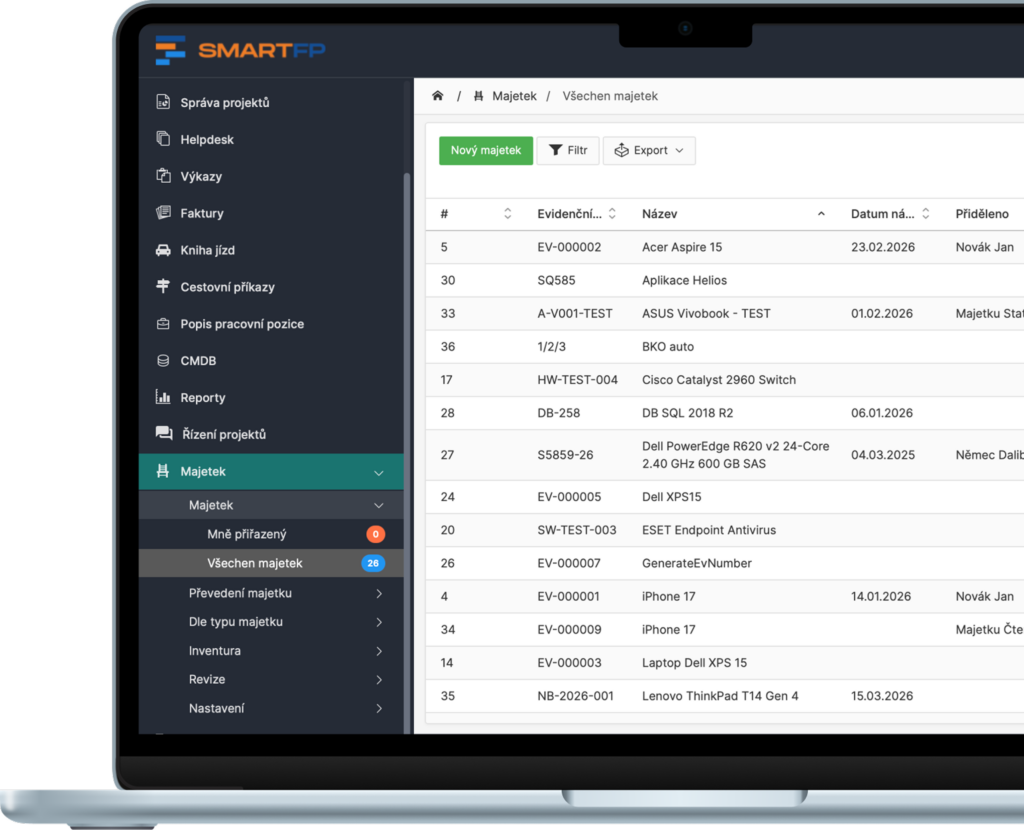
The first audit question is usually simple: “What are you protecting?” SmartFP gives you a central view of assets (HW/SW/licenses), user and location assignments, change history and audit outputs – so IT has order and audit has a foundation.
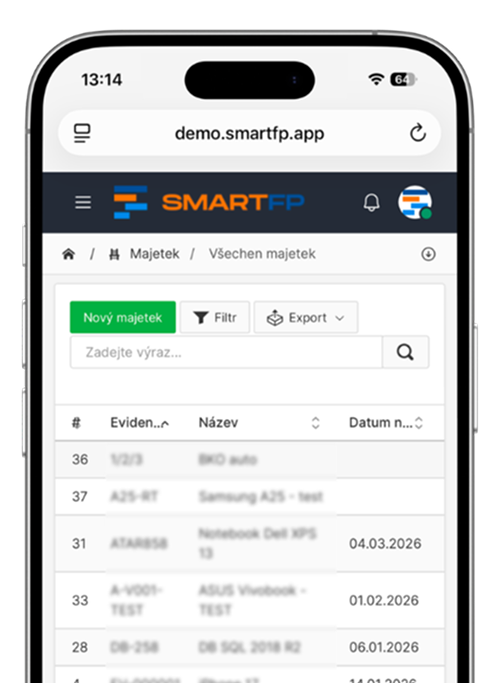
How assets are managed in SmartFP
Creating an asset card (HW/SW/license)
Assignment to a user or location
Handover/transfer with protocol and confirmation
Inventory via QR (location / responsible person)
Revisions, service reports and revision plan
Audit trail: history of changes and events
Who does what: IT administrator, manager, user
Manager / responsible person
Establishes and manages assets, locations, inventories, revisions, parameters and rules.
IT administrator
He has an overview of the assets in the team, he can confirm actions (according to the settings).
User
Confirms receipt/return of property, keeps track of what has been assigned.
Permissions as required
You set what each role can see and change to make the process secure and transparent.
5 situations that NIS2 opens up – and how SmartFP helps
Compulsory asset registration (basis of everything)
Problem: Without a list of laptops, servers, mobiles and licenses, you can’t do a risk analysis.
SmartFP: Central asset registry with classification, owner and location.
Result: the audit question “what do we protect” is answered in 1 click.
Patch management
Problem: Vulnerability in OS/device model → you need to know who is affected right away.
SmartFP: Filter “Dell Latitude” / version / type and list of users + locations.
Result: fast response without tracking.
Supply chain security
Problem: You need proof of origin, supplier, warranty and history.
SmartFP: Supplier, Purchase, Warranty/Service for each asset + follow-up on purchases (if used).
Result: basis for evaluating suppliers.
Shadow IT
Problem: Equipment and software off the books = higher risk of incident.
SmartFP: Asset records as “source of truth” + clear owner and history.
The result: better control and order.
Offboarding (return of assets and closure of accesses)
Problem: An employee leaves and the facility “stays somewhere”.
SmartFP: Binding of assets to employees + overview of what is still assigned (link to Exit sheet if you use it).
The result: nothing is left open, even “in someone’s home”.
We tailor asset accounting to your process
Each organisation records and manages its assets differently. SmartFP is a modular platform that puts asset registry, locations, transfers, inventory and revisions into one workflow – exactly according to your roles, rules and control steps.
Asset management = asset register + allocation + inventory + audit trail (in one process)
saving time
Notifications, reminders and checklists
The most time-consuming part of asset management is not the records, but keeping track of who has the equipment, where it is, when the inspection ends and what needs to be addressed. SmartFP automates alerts and monitors deadlines so nothing gets missed.
What is being automated:
- Notification of revisions and expirations – the system monitors the dates of revisions, warranties or certifications and reminds you of them in time.
- Inventory checklist – divide the inventory by locations or responsible persons and SmartFP will show what is verified and what is missing.
- Control steps during transfer/transfer – transfers of assets run procedurally (request → approval → protocol → confirmation).
- Decommissioning suggestions – according to the rules, you can automatically suggest the decommissioning of assets (e.g. after age, at the end of their life cycle).
Read our case study
See how SmartFP helps companies digitise their daily agenda in practice.

The biggest asset management problem? Not knowing who’s carrying what
The customer has already registered the property. He therefore did not suggest that he had no knowledge of it. The…
Learn how to use SmartFP in minutes
You can customise the system to make it easy to use for everyone. Accountants, receptionists and bosses. On the computer and in the mobile app. Just a few details below. We will contact you and suggest a date for a demonstration, free of charge and without obligation.
FAQ
Your most common questions
Looking for answers to your questions or need help with our system? We’ve put together a list of frequently asked questions where you can find useful information and solutions to common problems. If anything is not clear to you? Send us a question.
What type of assets can SmartFP record?
Hardware (laptops, mobile phones, servers), software, licenses, databases and other assets. Each asset has its own card with identifiers, classification, supplier, warranty, location and attachments.
How does the transfer of assets to an employee work?
SmartFP will enable the allocation of assets and the generation of a handover report. The employee can confirm (or reject) the acceptance and everything is stored in the asset history.
How is the asset inventory carried out?
You create an inventory by location, building, room or responsible person. The check is carried out via a registration number or QR code and the system evaluates the differences between the registered and actual status.
How does SmartFP help with NIS2 requirements?
NIS2 starts with an overview of your assets: what you have, who uses it, where it is and what the status is. SmartFP provides a central asset registry, traceability, inventory, revisions and history – the evidence that auditors and IT need to manage risk.
I’ll see who has a particular device and where it is located?
Yes. Assets can be assigned to an employee or an organizational unit and the location (location, building, room) can be recorded. Thanks to the filters you can quickly find out “who has what” and “what is where”.
Can the system transfer assets between employees?
Yes. It is possible to keep track of requests for transfer of assets, to have an overview of all transfers and the process of acceptance/approval. The history is traceable to the specific asset item.
Does SmartFP support QR codes?
Yes. You can print QR labels to identify assets and use them for inventory (or for measurement readings if you keep records).
Is an audit trail and change history available?
Yes. For each item you can see the history of changes and events (who modified what when), plus an overview of inventory and revisions. This is essential for internal control and auditing.