
Link to accounting, integration and outputs
SmartFP prepares a uniform basis for accounting without manual transcription and without inconsistencies between departments. Setting up rules will ensure consistent work across the organization.
The three pillars of invoice integration
1. Pillar
Uniform data
Dials and rules
SmartFP works with preset dials and rules to ensure that documents are entered consistently across the organization.
Data consistency
The system makes sure that the data makes sense when it is processed – the accounting system does not accept “half-finished products”.
2. Pillar
Accounting
Marking for export
Simply mark approved invoices for export and forward to the accounting system.
Handover without rewriting
Operations and accounting work with the same data – no double entry and no discrepancies.
3. Pillar
Integration and continuity
Connection to other processes
Invoices can be linked to orders, projects or contracts to give context to commitments.
Outputs for control
You have prepared outputs for internal control and audit (PDF, reports, history).
Security and clearly defined roles
You control invoice access and approval permissions by role. With limits and an audit trail, it’s clear who can make decisions and who has taken what action.
Invoice originator (beneficiary / administration)
creates invoices, completes data and checks attachments.
Approver (supervisor/responsible person)
approves, returns for completion or rejects with comments – including financial limits.
Accountant / Economist
works with approved invoices, prepares export and transfers to the accounting system.
Permissions as required
the organisation determines who can raise invoices, who can approve them and to what extent.
Accounting works with the same data as operations
SmartFP integrates the billing process into a single flow. Once an invoice is received and approved, it is linked to export and accounting without double entry. The result is uniform documentation, fewer errors and better control of accounts payable.
Invoices = receipt + approval + export + archive (in one process)
Automation
Automation and correct accounting
Most time is wasted on repairs and tracking. SmartFP unifies the data entry and prepares the data so that the accounting department receives the finished documents.
What this means in practice:
- Dictionaries and rules – consistent data entry across departments.
- Fewer errors – reducing typos and inconsistencies during processing.
- No overwriting – the accounting system takes uniform data from SmartFP.
- Ready for export – easily tag and forward approved invoices.

FAQ
Your most common questions
Looking for answers to your questions or need help with our system? We’ve put together a list of frequently asked questions where you can find useful information and solutions to common problems. If anything is not clear to you? Send us a question.
What does the Invoices module in SmartFP do?
Electronic registration of invoices, their processing and approval, status overview, archive and preparation of documents for accounting (export / outputs). All in one flow.
How quickly can I create a new invoice?
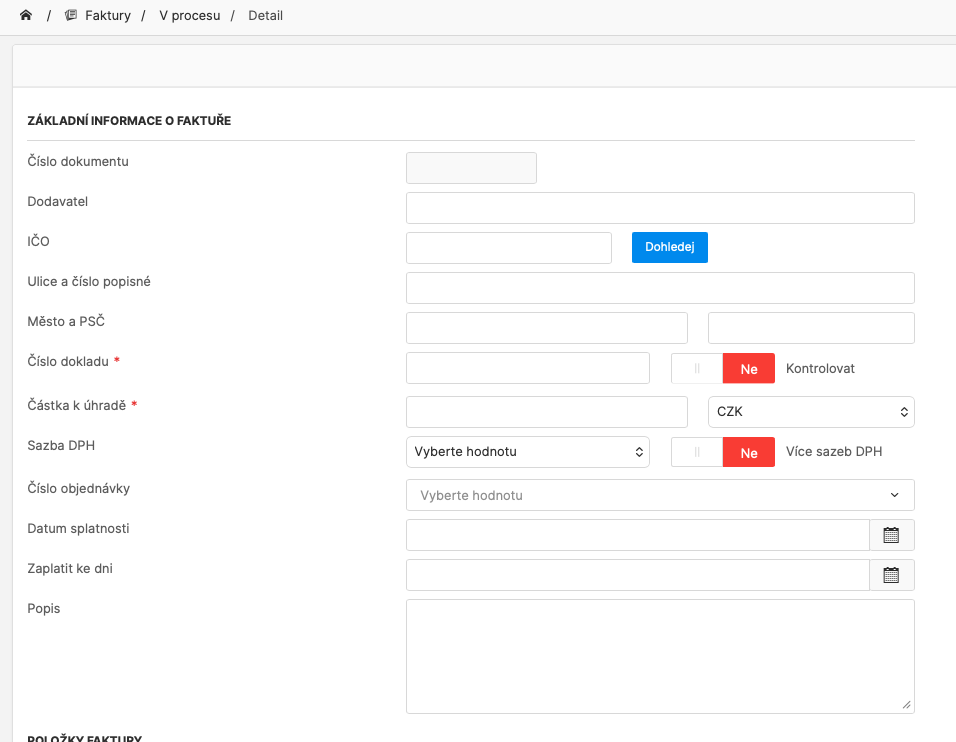
Invoices can be created in a few clicks. The data can be entered manually or SmartFP will retrieve it from the attached document and you just check it.
What if the approver returns or rejects the invoice?
The approver may return the invoice for completion or reject it with comments. Everything is recorded and traceable (who, when, why).
Does SmartFP have an audit trail?
Yes. For each invoice, you can see the history of steps and changes – who created the document, who approved it, when the changes were made, and what state the invoice was in.
Does SmartFP replace accounting?
No. SmartFP does not replace accounting – it prepares uniform data and outputs so that they can tie seamlessly into your accounting system without manual rekeying.
Is it possible to set up approvals by company (roles, limits, structure)?
Yes. The approval process is set according to your rules – who approves, within what financial limits, by department, project or responsibility.
Can I see where the invoice is right now?
Yes. Each invoice has a clear status (new, pending, returned, ready to post…) and you can see who’s next.
Can an invoice be assigned to a project, department or order?
Yes. Invoices can be assigned according to the needs of the organization – typically to a department, project, order or contract (links to other modules).